
|
Do it yourself
| |||
| ||||


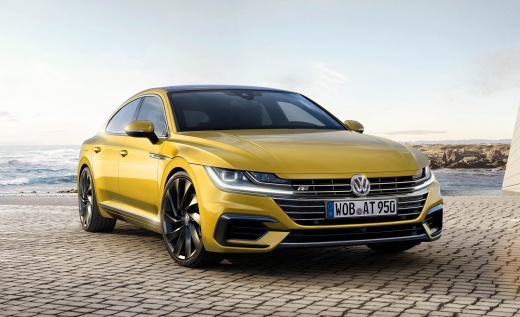
How to Reset the Service Light on the Volkswagen Arteon 2019
Model: Volkswagen Arteon
MK 1
- Years 2017-2024
With the procedure outlined in this mini guide, you will be able to complete the reset of the service light on the dashboard of your 2019 Volkswagen Arteon in just a few seconds and independently. First, get in the car and ensure it is off, then locate the "0.0" button situated in the lower central part of the dashboard and hold it down. At the same time, insert the key and turn on the ignition. Finally, release the "0.0" button as soon as the display asks if you want to proceed with the reset of the light and confirm the operation by pressing the same button one last time.
Updated on 3 September 2026 by ScegliAuto
Video tutorial
Related tutorials
Volkswagen Arteon
(2017-2024 /
MK 1)
If you own a Volkswagen Arteon and want to learn how to correctly complete the manual reset of the service light, all you have to do is follow the st…

Volkswagen Arteon
(2017-2024 /
MK 1)
To reset the "Service" light on a Volkswagen Arteon, start by turning on the instrument panel without starting the engine. Use the buttons on the ste…

Volkswagen Arteon
(2017-2024 /
MK 1)
If you have just carried out the regular oil change or service of your 2019 Volkswagen Arteon, but the corresponding warning light continues to appea…
Other guides you may be interested in
|
How to reset the tyre pressure warning light on the Dacia Sandero?
To reset the tyre pressure warning light on the Dacia Sandero, inflate all the tyres to the pressure indicated on the label on the driver's door. Once the tyres are inflated, turn on the ignition and navigate through the menu using the controls on the right side of the steering wheel. Scroll with the arrows to find the tyre pressure option: by holding down the OK button located on the right side of the steering wheel, you can reset the warning light. by ScegliAuto More videos
|
|
For advertising on this site Write to info@scegliauto.com
ScegliAuto is not responsible for any inaccuracy of the data in the lists. To report any inaccuracy or your business (if you own the business in question), please write to info@scegliauto.com
Number of seconds to generate the page: 0.114
(c) ScegliAuto 2026 - info@scegliauto.com - Privacy policy VAT number: IT01247470535 |
