
|
Do it yourself
| |||
| ||||



How to Reset the Service Light on a Volvo XC60
Model: Volvo Xc60
MK 1
- Years:
2008, 2009, 2010, 2011, 2012, 2013, 2014, 2015, 2016
Video tutorial
Here is the procedure to reset the service light for routine maintenance on the Volvo XC60. First, get inside the cabin and turn on the ignition while simultaneously pressing the reset button located on the right side of the instrument cluster. Wait for the service light to blink three times until it completely resets, then release the buttons and turn off the ignition, as shown in the video. Now, turn the ignition back on and start the engine, completing the maintenance reminder reset!
Posted on 13 February 2026 by ScegliAuto
Related tutorials
Volvo Xc60
(2008-2016 /
MK 1)
Hello, today's guide aims to reset the "Service" light on your Volvo XC60. Before starting, ensure you have performed the recommended maintenance. Be…

Volvo Xc60
(2017-2026 /
MK 2)
Reset the Service light on a Volvo XC60 by connecting a diagnostic tool to the vehicle's OBD port, located just below the steering column. Once the s…
Volvo Xc60
(2008-2016 /
MK 1)
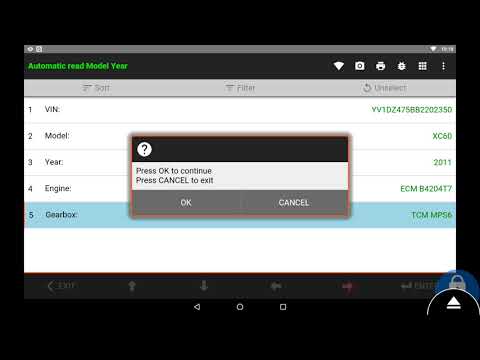
To reset the Service light on a Volvo XC60, turn on the ignition and then connect a diagnostic tool to the vehicle's OBD port. This port is located o…
Other guides you may be interested in
|
How to Reset the Tire Pressure Light on a MG ZS?
On the instrument cluster of the MG ZS, the tire pressure light that appears can be reset by inflating the tires to the correct pressure: this value will be indicated on the sticker attached to the driver's door pillar. Once the tires have been properly inflated, you can turn on the instrument cluster and navigate through the menu until you find the option that indicates tire pressure: if this screen shows the new values, the light will turn off; otherwise, you will need to drive for a few miles so that the sensors can read the new values and turn off the light afterward. by ScegliAuto More videos
|
|
For advertising on this site Write to info@scegliauto.com
ScegliAuto is not responsible for any inaccuracy of the data in the lists. To report any inaccuracy or your business (if you own the business in question), please write to info@scegliauto.com
Number of seconds to generate the page: 0.061
(c) ScegliAuto 2026 - info@scegliauto.com - Privacy policy VAT number: IT01247470535 |
