
|
Do it yourself
| |||
| ||||


How to Access the Volvo Diagnostic Menu
Model: Volvo C30
MK 1
- Years 2006-2013
In this video, we discuss the Volvo diagnostic menu, applicable to Volvo C30, S40, V50, and C70: here’s how to access it: turn on the ignition and press the "read" button on the steering wheel while simultaneously pressing the daytime running lights unlock button on the dashboard: release both; the hidden menu will appear. Use the "ok" or "read" buttons to select and the "back" button to return. Look for the "DTC" or "Diagnostic Trouble Codes" option to check the engine ECM; TCM gearbox; CEM central electronics; UEM comfort module and other subsystems. If "NO codes" appears, then there are no issues; if "codes" or specific codes appear, then there are soft errors that do not activate warning lights. It is useful for a quick check and periodic monitoring of the car's status.
Posted on 17 April 2026 by ScegliAuto
Video tutorial
Related tutorials
Volvo C30
(2006-2013 /
MK 1)
When you encounter malfunctions in one or more components of your Volvo C30, it is important to check the respective fuses. In the following guide, w…

Volvo C30
(2006-2013 /
MK 1)
To find the fuse box of our Volvo C30, we need to start by checking the dashboard on the driver's side. This is the most common location for the fuse…
Volvo C30
(2006-2013 /
MK 1)
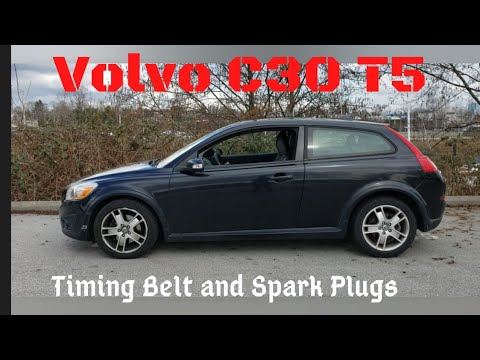
In this guide, follow the instructions necessary for removing and replacing the timing belt on the Volvo C30. First, lift the vehicle and loosen the …
Other guides you may be interested in
|
How to Open a Stuck Boot on the Peugeot 407?
On the Peugeot 407, the boot may become stuck, possibly due to a problem with the control button or the lock actuator. In such cases, you can perform an emergency opening by following the simple procedure shown in this tutorial. First, open the rear doors, then lower the seat back by operating the release lever. Next, go inside the boot, locate the lock, and manually operate it using a flathead screwdriver. The boot will then be free to open. by ScegliAuto More videos
|

|
For advertising on this site Write to info@scegliauto.com
ScegliAuto is not responsible for any inaccuracy of the data in the lists. To report any inaccuracy or your business (if you own the business in question), please write to info@scegliauto.com
Number of seconds to generate the page: 0.259
(c) ScegliAuto 2026 - info@scegliauto.com - Privacy policy VAT number: IT01247470535 |
