
|
Do it yourself
| |||
| ||||



How to change the battery of an Alfa Romeo Giulia key?
Model: Alfa Romeo Alfa Romeo Giulia
MK 1
- Years:
2016, 2017, 2018, 2019, 2020, 2021, 2022, 2023, 2024
Video tutorial
To change the battery of an Alfa Romeo Giulia key, start by removing the back cover of the key. This can be done by gently pressing the button or latch located on the side of the key to release the cover. Once removed, you will have access to the battery inside. The battery is usually a common lithium one, such as the CR2032. Carefully remove the old battery, being careful not to damage the metal contacts. Insert the new battery, making sure to observe the correct polarity, with the positive side facing up. After replacing the battery, reposition the back cover of the key, snapping it into place until it locks. Once the operation is completed, the key should work properly again, allowing you to access functions such as opening doors and starting the car without any issues. If the key does not respond after the replacement, check that the battery is inserted correctly and that the contacts are clean.
Posted on 28 April 2025 by ScegliAuto
Related tutorials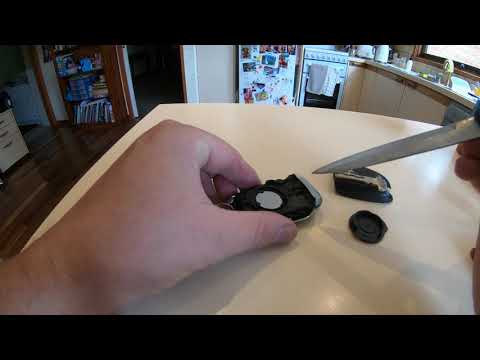
Alfa Romeo Alfa Romeo Giulia
(2016-2024 /
MK 1)
Start by prying off and removing the rear cover of the key fob for your Alfa Romeo Giulia. Next, extract the physical emergency key. Once done, unscr…

Alfa Romeo Alfa Romeo Giulia
(2016-2024 /
MK 1)
In today's video, you will learn how to dismantle and replace the battery in the key remote for an Alfa Romeo Giulia, in simple and quick steps. Firs…

Alfa Romeo Alfa Romeo Giulia
(2016-2024 /
MK 1)
This guide shows how to replace the remote battery of the Alfa Romeo Giulia Mk2. First, remove the rear cover of the remote and take out the mechanic…
Other guides you may be interested in
|
How to reset the tyre pressure warning light on the Kia Niro EV?
To reset the tyre pressure warning light on the Kia Niro EV, inflate the tyres until they reach the correct pressure value. This value is indicated on the sticker attached to the driver's door pillar. Once the tyres are inflated, turn on the instrument cluster to check that the warning light has completely disappeared from the display. If it is still present, you may need to drive for a few miles to ensure it disappears completely from the screen. by ScegliAuto More videos
|
|
For advertising on this site Write to info@scegliauto.com
ScegliAuto is not responsible for any inaccuracy of the data in the lists. To report any inaccuracy or your business (if you own the business in question), please write to info@scegliauto.com
Number of seconds to generate the page: 0.118
(c) ScegliAuto 2026 - info@scegliauto.com - Privacy policy VAT number: IT01247470535 |
