
|
Do it yourself
| |||
| ||||


How do you reset the onboard computer of the Audi A4?
Model: Audi A4
B9
- Years 2014-2024
In order to reset the onboard computer of the Audi A4, you need to insert the ignition key into the slot and turn it to start the instrument panel: once the panel is turned on, you can locate the volume button on the right side of the gear selector. By holding down the button, you can wait for about ten seconds, noticing that the screen in the center of the dashboard will turn off; after a few seconds, you will see the screen turn back on and you will notice that the settings have been restored.
Posted on 14 February 2025 by ScegliAuto
Video tutorial
Related tutorials
Audi A4
(2007-2016 /
B8)
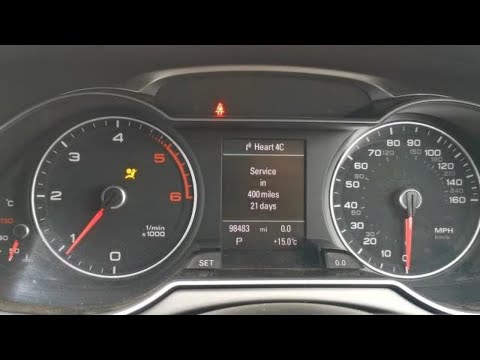
Today we will see which steps to take to reset the on-board computer of the Audi A4 independently. To reset the on-board computer to factory settings…
Audi A4
(2007-2016 /
B8)
After replacing the engine oil and the corresponding filter on this vehicle, you need to reset and update the service indicator in the car's onboard …

Audi A4
(2014-2024 /
B9)
Today we will explain how to reset the service light related to the maintenance on an Audi A4 vehicle through the vehicle's onboard computer. After t…
Other guides you may be interested in
|
Frequently Asked QuestionsHow to Open the Bonnet of a Renault Megane if the Lever is Broken?
If the lever that unlocks the bonnet of the Renault Megane is broken or not functioning, there is an emergency procedure to unlock the mechanism: remove the right front grille located at the top of the bumper. Once the grille is removed, you can locate the actuator mechanism: by pulling the spring in this position, you can unlock the actuator, allowing you to lift the bonnet and access the components located inside the engine compartment. You can then close the bonnet simply by lowering it. by ScegliAuto More videos
|
|
For advertising on this site Write to info@scegliauto.com
ScegliAuto is not responsible for any inaccuracy of the data in the lists. To report any inaccuracy or your business (if you own the business in question), please write to info@scegliauto.com
Number of seconds to generate the page: 0.247
(c) ScegliAuto 2026 - info@scegliauto.com - Privacy policy VAT number: IT01247470535 |
