
|
Do it yourself
| |||
| ||||


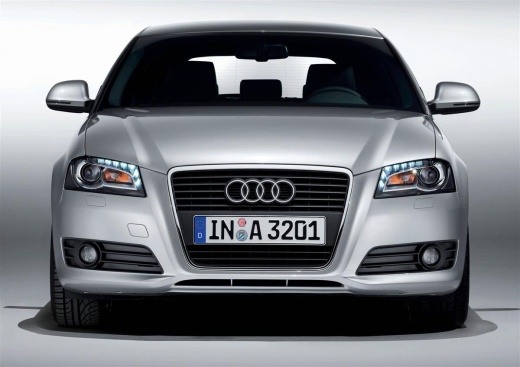
How to replace the gear knob of the Audi A3
Model: Audi A3
8P, MK 2
- Years:
2003, 2004, 2005, 2006, 2007, 2008, 2009, 2010, 2011, 2012, 2013
Video tutorial
Replacing the gear knob on an Audi A3 model 8p is a simple and quick operation to perform independently. For example, to perform this operation we should use a small hex key and a plastic removal tool. We remove the plastic knob by turning it counterclockwise and pulling outward, and to remove the metal part we use a hex key to unscrew the small screw on the side. We lift the plastic part to remove the sides and detach the gear lever boot. We unscrew the locking clamp and tighten the gear lever. We insert the gear lever boot inside the plastic and attach the screw. We insert the gear knob by turning it clockwise.
Posted on 6 September 2025 by ScegliAuto
Related tutorials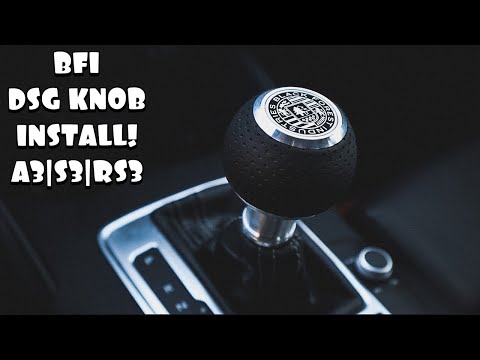
Audi A3
(2012-2019 /
8V, MK 3)
This guide shows how to remove and replace the automatic gear knob on the Audi A3, as well as other models from the manufacturer. First, get inside t…

Audi A3
(1996-2003 /
MK 1, 8L)
To replace the gear knob on an Audi A3, detach the retaining clips located at the base of the gear gaiter so that it can be completely lifted. After …

Audi A3
(1996-2003 /
MK 1, 8L)
To change the gear knob on an Audi A3, start by removing the gaiter using a plastic wedge. Then, use a screwdriver to lever off the clip that holds t…
Other guides you may be interested in
|
How to reset the tyre pressure warning light on the Kia Niro EV?
To reset the tyre pressure warning light on the Kia Niro EV, inflate the tyres until they reach the correct pressure value. This value is indicated on the sticker attached to the driver's door pillar. Once the tyres are inflated, turn on the instrument cluster to check that the warning light has completely disappeared from the display. If it is still present, you may need to drive for a few miles to ensure it disappears completely from the screen. by ScegliAuto More videos
|
|
For advertising on this site Write to info@scegliauto.com
ScegliAuto is not responsible for any inaccuracy of the data in the lists. To report any inaccuracy or your business (if you own the business in question), please write to info@scegliauto.com
Number of seconds to generate the page: 0.142
(c) ScegliAuto 2026 - info@scegliauto.com - Privacy policy VAT number: IT01247470535 |
