
|
Do it yourself
| |||
| ||||


How to reset the tire indicator in the Audi A5?
Model: Audi A5
8T3, 8F, 8T8, 8T
- Years 2007-2016
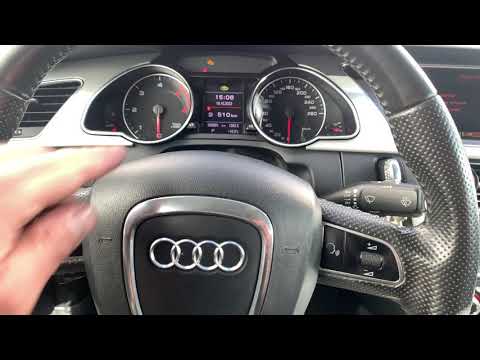
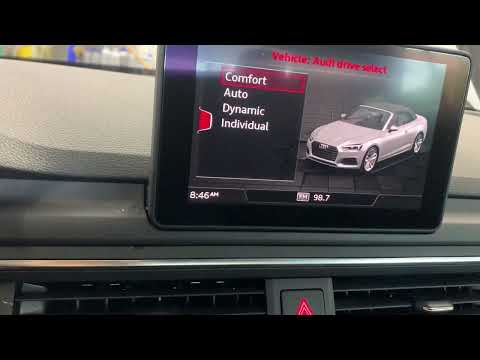
In this tutorial, we can see how to reset the tire warning light in the Audi A5, an extremely simple and quick operation, to be performed only once the correct tire pressure has been restored following the instructions in the manual. First of all, let's go inside the cabin, then insert the key and turn on the instrument panel. Next, press the "CAR" button located on the central console, enter "Tire pressure monitoring" and perform the reset by selecting the "Store now" option. To verify that the procedure has been successful, simply restart the instrument panel.
Posted on 29 January 2024 by ScegliAuto
Video tutorial
Related tutorials
Audi A5
(2018-2025 /
8W6)
In this tutorial we can see how to reset the tire pressure warning light in the Audi A5, an extremely simple and quick operation, to be done only onc…
Audi A5
(2007-2016 /
8T3, 8F, 8T8, 8T)
In this tutorial we can see how to reset the tire warning light in the Audi A5, a very simple and quick operation, to be carried out only after resto…
Audi A5
(2018-2025 /
8W6)
.. In this tutorial, we can see how to reset the tire indicator in the Audi A5, an extremely simple and quick operation, to be performed.. …
Other guides you may be interested in
|
Removal and Replacement of Mini Headlamp Washers
To remove and replace the headlamp washers on a Mini, proceed as follows: 1) Open the engine bay. 2) Disconnect the battery. 3) Remove the four bolts securing the headlamp to the car's frame, taking care of the different lengths of the bolts. 4) Gently lift the headlamp unit, remembering to disconnect the electrical connection and the rubber hose of the washer. 5) Remove and replace the washer using the two screws from the headlamp unit. 6) To reinstall the components, proceed in reverse, ensuring the correct positioning of all screws and electrical/hydraulic connections. by ScegliAuto More videos
|

|
For advertising on this site Write to info@scegliauto.com
ScegliAuto is not responsible for any inaccuracy of the data in the lists. To report any inaccuracy or your business (if you own the business in question), please write to info@scegliauto.com
Number of seconds to generate the page: 0.090
(c) ScegliAuto 2026 - info@scegliauto.com - Privacy policy VAT number: IT01247470535 |
