
|
Do it yourself
| |||
| ||||


Video tutorial
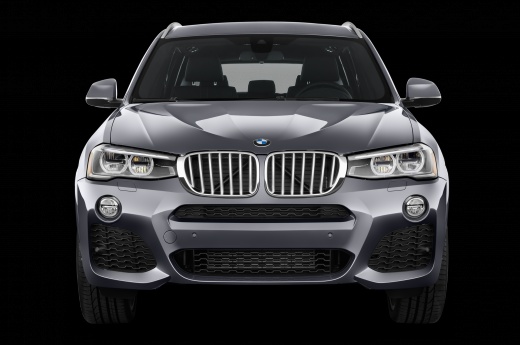
Let's see how to set the memory of the seats of the BMW X3, X5 and X7, in the most recent versions: first, adjust the steering wheel and seat to the most comfortable position for you, then look for the "set" button located on the door panel, and hold it down for a second or two: a message will appear on the display, saying: "driver's seat, to save a position press button 1 or 2". This is because we need to register as driver 1 or driver 2. Click for example on 2 and the display will show that the position has been saved as "2". If we move the steering wheel and seat, pressing button 2, the position will be acquired again.
Posted on 1 May 2025 by ScegliAuto
Related tutorials
BMW X3
(2017-2024 /
MK 3, G01)
Today, let's discover the instructions that will allow us to lower the backrests of the rear seats in the BMW X3, in simple and quick steps. First, l…

BMW X3
(2017-2024 /
MK 3, G01)
In this video tutorial we will explain how to make the best use of the trunk space of the BMW X3. The rear seats for this car model can be completely…

BMW X3
(2003-2010 /
E83, MK 1)
In this video tutorial, the steps to set the desired time in a BMW X3 vehicle are shown. Get into the car and insert the key into the slot, turn it c…
Other guides you may be interested in
|
How to open the boot if it is stuck on a Mercedes B-Class?
On the Mercedes B-Class, the boot may become stuck, possibly due to a problem with the control button or the lock actuator. In this case, perform the emergency opening by following the simple procedure shown in this tutorial. First, unlock the locks with the remote control, then open the rear doors and, by operating the indicated lever, lower the backrest of the seat. Next, go inside the boot, locate the indicated gap, and manually unlock the lock using a small screwdriver. by ScegliAuto More videos
|
|
For advertising on this site Write to info@scegliauto.com
ScegliAuto is not responsible for any inaccuracy of the data in the lists. To report any inaccuracy or your business (if you own the business in question), please write to info@scegliauto.com
Number of seconds to generate the page: 0.059
(c) ScegliAuto 2026 - info@scegliauto.com - Privacy policy VAT number: IT01247470535 |
