
|
Do it yourself
| |||
| ||||


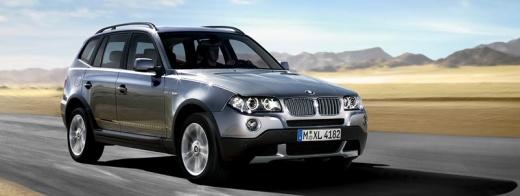
How to Reset the ABS and 4x4 Warning Lights on the BMW X3?
Model: BMW X3
E83, MK 1
- Years:
2003, 2004, 2005, 2006, 2007, 2008, 2009, 2010
Video tutorial
The illumination of the ABS light, along with the 4x4 light on the dashboard of the BMW X3, is a common issue, and the cause is almost always the same: you need to replace the actuator of the transmission. This is located at the bottom of the vehicle, near the gear lever. To remove it, you must loosen the appropriate bolts and disconnect all connectors attached to the part. Once it is freed, you can replace it with a new replacement part; after installation, you will see that all the warning lights will turn off.
Updated on 1 May 2026 by ScegliAuto
Related tutorials
BMW X3
(2003-2010 /
E83, MK 1)
To reset the warning lights after a repair or a temporary error on a 2004 BMW X3, you need to turn on the instrument cluster and the engine, steer al…

BMW X3
(2003-2010 /
E83, MK 1)
We see a common problem with this model: the 4x4 and ABS warning lights are constantly on, the car does not drive well, and it seems to be stuck in e…

BMW X3
(2003-2010 /
E83, MK 1)
Due to an issue related to the control unit, it may happen that when starting the 2007 BMW X3, the 4x4 light and the handbrake light appear on the in…
Other guides you may be interested in
|
Frequently Asked QuestionsHow to Open the Fuel Filler Flap in the Hyundai i30?
In this tutorial, you will learn how to open the fuel filler flap in the Hyundai i30, a very simple operation that follows the typical procedure of most vehicles. First, unlock the locks using the designated button on the remote, then open the driver's door, locate the release lever on the left side of the seat, and operate it. Next, move to the fuel filler flap, open it completely, unscrew the cap, and refuel as needed. To close the flap, simply press it gently. by ScegliAuto More videos
|
For advertising on this site Write to info@scegliauto.com
ScegliAuto is not responsible for any inaccuracy of the data in the lists. To report any inaccuracy or your business (if you own the business in question), please write to info@scegliauto.com
Number of seconds to generate the page: 0.021
(c) ScegliAuto 2026 - info@scegliauto.com - Privacy policy VAT number: IT01247470535 |
