
|
Do it yourself
| |||
| ||||


To reset the service indicator of the BMW 3 Series F31.
Model: BMW Serie 3
F30, F31
- Years 2012-2019
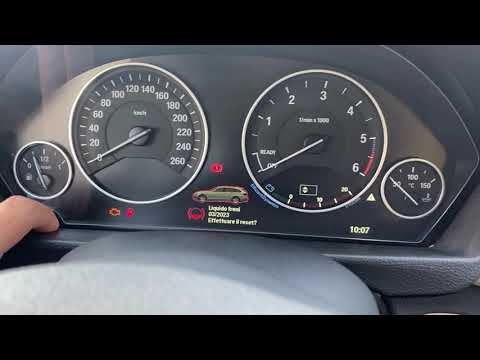
If you have just performed the regular maintenance on your BMW 3 Series F31 (year 2012-2019), but the corresponding warning light continues to illuminate on the instrument panel, then you need to manually reset the light in question. Let's find out how to do it together. First of all, enter the car and reach the driver's seat, then turn on the ignition and hold down the button located in the left corner of the instrument panel, below the fuel gauge. As soon as the new menu appears on the display, release the button and press it several times until you see the icon related to vehicle maintenance. Finally, hold down the button one last time to confirm the reset.
Posted on 23 October 2023 by ScegliAuto
Video tutorial
Related tutorials
BMW Serie 3
(2012-2019 /
F30, F31)
Today we will learn how to reset the service maintenance light for the oil change on a BMW 3 Series. First, get into the car and turn on the instrume…
BMW Serie 3
(2012-2019 /
F30, F31)
By following the steps described in the following guide, you will finally be able to correctly reset the oil warning light on your BMW 3 Series F31 (…

BMW Serie 3
(2012-2019 /
F30, F31)
Today we will explain how to reset the service light, related to the maintenance on a 2017 BMW 3 Series vehicle in less than two minutes. To reset th…
Other guides you may be interested in
|
How to Pair Smartphone with Bluetooth System on Fiat Tipo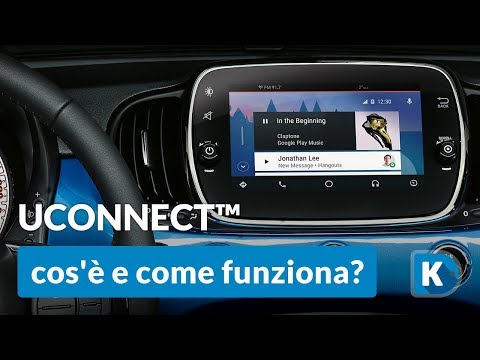
Here’s how to pair your smartphone with the Bluetooth system of the Fiat Tipo's car radio: activate the Bluetooth on your smartphone and set the car radio to connect with the external device. When the car's multimedia system detects your smartphone's Bluetooth, confirm and click on the 'new cell' option. Once the system has detected the smartphone, enter the pairing password if necessary. Finally, download the app on your smartphone and confirm the pairing with the car's multimedia system. Now your smartphone is connected to your car. by ScegliAuto More videos
|

|
For advertising on this site Write to info@scegliauto.com
ScegliAuto is not responsible for any inaccuracy of the data in the lists. To report any inaccuracy or your business (if you own the business in question), please write to info@scegliauto.com
Number of seconds to generate the page: 0.051
(c) ScegliAuto 2026 - info@scegliauto.com - Privacy policy VAT number: IT01247470535 |
