
|
Do it yourself
| |||
| ||||


How do you reset the brake wear indicator light on the BMW 3 Series?
Model: BMW Serie 3
F31, F30
- Years 2012-2019
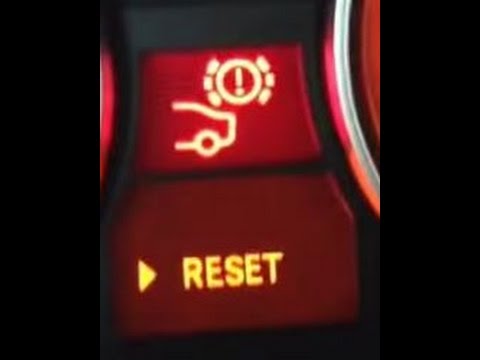
To reset the brake wear indicator light on the BMW 3 Series, you must first replace the brake pads before performing the reset. Then, insert the ignition key into the slot and turn it on. Next, repeatedly press the button located on the left side of the dashboard until the brake anomaly icon appears. At this point, hold down the button for a few seconds until the indicator light disappears from the instrument panel. Once the operation is complete, turn off the ignition by turning the key.
Posted on 31 December 2023 by ScegliAuto
Video tutorial
Related tutorials
BMW Serie 3
(2005-2013 /
E92, E90, E91)
It will be possible to completely make the brake wear warning light of the BMW Series 3 disappear by turning on the instrument panel and pressing the…
BMW Serie 3
(2005-2013 /
E92, E90, E91)
On the BMW 3 Series, you can reset the brake wear indicator by turning on the instrument panel using the dedicated button located to the right of the…

BMW Serie 3
(1998-2006 /
E46)
It will be possible to completely clear the brake wear warning light on the BMW Series 3 by turning on the instrument cluster, allowing you to naviga…
Other guides you may be interested in
|
Frequently Asked QuestionsHow to Replace the Brake Pads on a BMW X3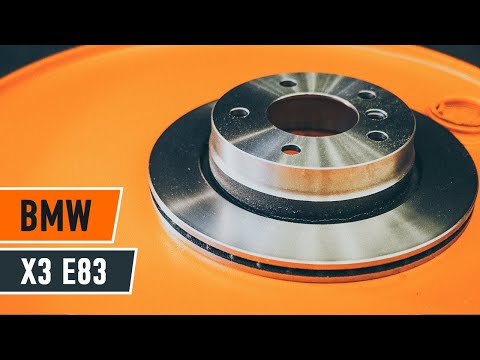
For this operation, you will need to remove the wheel where you will perform the replacement, so it will be convenient to lift your vehicle and place it on jack stands; this way, you will work much more comfortably. To remove the spring that holds the front pads, use a flathead screwdriver. Now, unscrew the bolts that secure the piston to the pads, then remove it, giving you access to both pads that brake the rotor. Of course, repeat the same steps on the other side if the same replacements are needed. by ScegliAuto More videos
|
|
For advertising on this site Write to info@scegliauto.com
ScegliAuto is not responsible for any inaccuracy of the data in the lists. To report any inaccuracy or your business (if you own the business in question), please write to info@scegliauto.com
Number of seconds to generate the page: 0.148
(c) ScegliAuto 2026 - info@scegliauto.com - Privacy policy VAT number: IT01247470535 |
