
|
Do it yourself
| |||
| ||||


How to reset the service light on the BMW 1 Series
Model: BMW Serie 1
F20, MK 2, F21
- Years 2011-2019
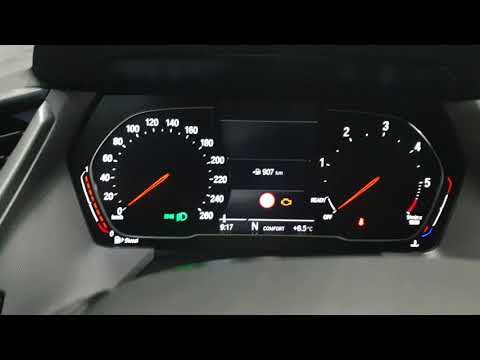
To reset the service light of the BMW 1 Series, you will first need to turn on the instrument panel and then press the button located to the left of the instrument panel display. This will give you access to the car's settings menu. Then, you will need to press the button on the left lever of the steering wheel to scroll through the settings menu until you reach the oil symbol. Press the BC button on the control panel to select the option for resetting the service. Hold it down to perform the reset. Once finished, you can turn off and on the vehicle to complete the service light reset.
Posted on 4 March 2024 by ScegliAuto
Video tutorial
Related tutorials
BMW Serie 1
(2004-2013 /
E82, E81, E87, MK 1)
Today we will explain how to reset the service light on BMW 1 Series MK1 vehicles produced from 2004 to 2013 independently. To reset the light, we ne…
BMW Serie 1
(2019-2026 /
MK 3, F40)
Resetting the service light, related to the maintenance of the 2020 BMW 1 Series, is a very simple and quick operation, which can be done independent…

BMW Serie 1
(2019-2026 /
MK 3, F40)
The steps to reset the service light related to the maintenance of the BMW Series 1 are simple and quick to perform on your own. To execute the reset…
Other guides you may be interested in
|
How to Replace the Front Headlamp Bulb on a Citroen DS3
Prepare the necessary tools as indicated in the video and then proceed to release the bonnet from the designated lever and lift it to secure it with the appropriate prop. Now locate the back of the headlamp to remove the protective cover that covers each individual bulb position. Then extract the bulb in question and disconnect it from the connector. Install the new bulb, and you're done. Of course, repeat the operations for each bulb that needs replacing, then retrace the steps described for reassembling the various components. by ScegliAuto More videos
|
|
For advertising on this site Write to info@scegliauto.com
ScegliAuto is not responsible for any inaccuracy of the data in the lists. To report any inaccuracy or your business (if you own the business in question), please write to info@scegliauto.com
Number of seconds to generate the page: 0.063
(c) ScegliAuto 2026 - info@scegliauto.com - Privacy policy VAT number: IT01247470535 |
