
|
Do it yourself
| |||
| ||||


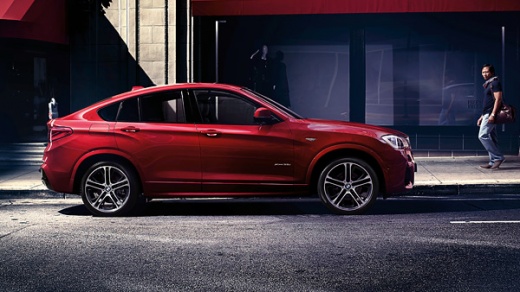
Replacing the Manufacturer Emblem on the Steering Wheel of the BMW X4
Model: BMW X4
MK 1, F26
- Years:
2014, 2015, 2016, 2017, 2018
Video tutorial
Today, we will go over the instructions that will allow you to replace and install the manufacturer emblem logo on the BMW X4 steering wheel. First, get inside the vehicle and start by removing the original manufacturer emblem on the airbag of the steering wheel if necessary, using something thin and sharp like a screwdriver (be careful not to damage the airbag). You can also install the new manufacturer emblem directly over the existing one if it is adhesive and there is space, following the instructions in the video until the end!
Updated on 7 October 2026 by ScegliAuto
Related tutorials
BMW X4
(2014-2018 /
MK 1, F26)
In this video tutorial, you will learn how to disable the passenger airbag on the BMW X4 in simple and quick steps, as well as on all other models fr…

BMW X4
(2018-2025 /
G02)
The instructions provided in this guide will show us the process of disassembling and replacing the external handle of the rear door of the BMW X4, i…

BMW X4
(2018-2025 /
G02)
Replacing the cabin air filter in BMW X4 vehicles can be done easily on your own as it is a simple and quick operation. The replacement does not requ…
Other guides you may be interested in
|
How to Reset the Tyre Pressure Warning Light on the Jeep Renegade?
To reset the tyre pressure warning light on the Jeep Renegade, inflate the tyres until they reach the recommended pressure: this value is indicated on the sticker attached to the driver’s door pillar. Once the tyres are properly inflated, navigate through the menu that appears on the instrument cluster until you find the tyre pressure option. At this point, press and hold the OK button on the right side of the steering wheel to make the warning light disappear. by ScegliAuto More videos
|
|
For advertising on this site Write to info@scegliauto.com
ScegliAuto is not responsible for any inaccuracy of the data in the lists. To report any inaccuracy or your business (if you own the business in question), please write to info@scegliauto.com
Number of seconds to generate the page: 0.043
(c) ScegliAuto 2026 - info@scegliauto.com - Privacy policy VAT number: IT01247470535 |
