
|
Do it yourself
| |||
| ||||


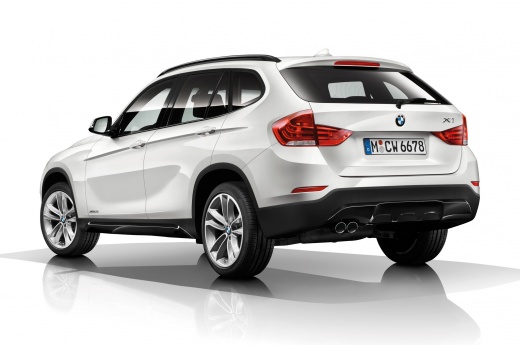
How to Reset the Brake Wear Light on a BMW X1?
Model: BMW X1
F48
- Years:
2015, 2016, 2017, 2018, 2019, 2020, 2021, 2022
Video tutorial
To reset the brake wear light on a BMW X1, turn on the ignition by inserting the key into the ignition switch. Once the dashboard lights up, press and hold the button located at the bottom left of the dashboard. A menu will appear, allowing you to scroll through options by repeatedly pressing the button in that position. When the option showing the miles remaining until brake pad replacement appears, press and hold the button again until the light and interval are reset.
Updated on 13 October 2026 by ScegliAuto
Related tutorials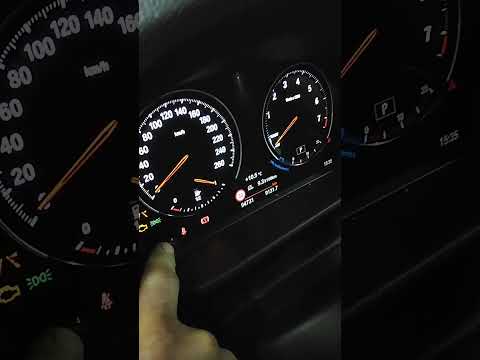
BMW X1
(2015-2022 /
F48)
To reset the brake wear light on the BMW X1, turn on the ignition by rotating the key in the ignition switch. Once the dashboard is on, press and hol…

BMW X1
(2015-2022 /
F48)
The brake wear indicator shown on the instrument panel of the BMW X1 can be reset by turning on the instrument panel, turning the key inside the igni…
BMW X1
(2009-2015 /
E84)
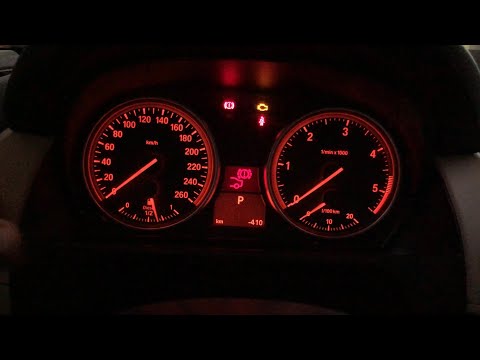
In this video, you will learn how to reset the brake light that turns on when the brakes are worn and need to be replaced on a BMW X1 E84 (first gene…
Other guides you may be interested in
|
How to Remove the Toll Tag Holder from the Car Windscreen
The toll tag holder is usually attached to the car windscreen to ensure that the toll tag functions immediately when passing through barriers. However, if you decide to remove the holder, you should follow this procedure: - Insert the toll tag into the holder; - Pull the holder inwards to detach it from the windscreen; you can use a glass scraper or a stiff plastic card to assist you; After removing the holder, it is essential to remove the adhesive from the windscreen. To remove the adhesive, we recommend using a solvent-based spray that will remove the glue without clouding the area. by ScegliAuto More videos
|
|
For advertising on this site Write to info@scegliauto.com
ScegliAuto is not responsible for any inaccuracy of the data in the lists. To report any inaccuracy or your business (if you own the business in question), please write to info@scegliauto.com
Number of seconds to generate the page: 0.073
(c) ScegliAuto 2026 - info@scegliauto.com - Privacy policy VAT number: IT01247470535 |
