
|
Do it yourself
| |||
| ||||


Chevrolet Bolt Ev - Video guides Chevrolet Bolt Ev (2017-2024 / MK 1) How to replace the battery in the Chevrolet Bolt key. To replace the battery inside your Chevrolet Bolt key on your own, simply read the following guide carefully and follow all the steps. First, purchase a new …Read all… Posted on 11 December 2025 by ScegliAuto  Chevrolet Bolt Ev (2017-2024 / MK 1) How to replace the battery of the key for the Chevrolet Bolt 2023 To replace the battery inside the key of your Chevrolet Bolt (year 2023), you must carefully read the following guide and follow the described procedure. First …Read all… Posted on 8 May 2025 by ScegliAuto  Chevrolet Bolt Ev (2017-2024 / MK 1) Guide to Removing the Traction Battery from the Chevrolet Bolt Today, let's review the key information needed to remove and replace the traction battery of the Chevrolet Bolt. First, lift the vehicle to access the battery …Read all… Posted on 21 October 2026 by ScegliAuto 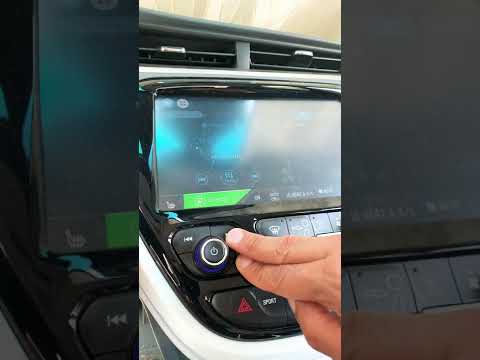 Chevrolet Bolt Ev (2017-2024 / MK 1) How to Reset the Radio Display in a Chevrolet Bolt EV? The factory-installed radio in the Chevrolet Bolt EV has a reset system that allows you to manually restart the system. How does it work? It's simple, to …Read all… Posted on 5 August 2026 by ScegliAuto  Chevrolet Bolt Ev (2017-2024 / MK 1) How to Install a Charging Station in Your Garage for the Chevrolet Bolt EV Watch an interesting video on how to install a charger for your electric vehicle. This is not something everyone can do because you need to have your own …Read all… Posted on 5 August 2026 by ScegliAuto  Chevrolet Bolt Ev (2017-2024 / MK 1) Replacing the Traction Battery of the Chevrolet Bolt EV In this guide, you will learn how to remove and replace the traction battery of the Chevrolet Bolt EV. First, raise the vehicle and start removing the various …Read all… Posted on 5 November 2026 by ScegliAuto 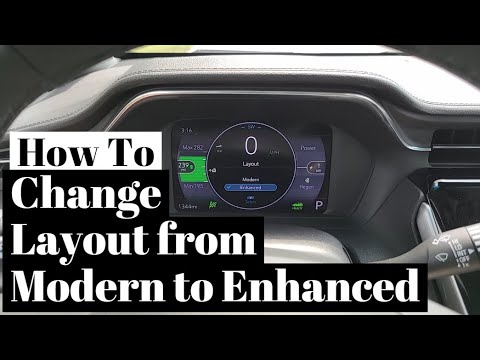 Chevrolet Bolt Ev (2017-2024 / MK 1) How to change the display layout on the Chevrolet Bolt EV? On the Chevrolet Bolt EV, you can change the display layout on the dashboard by choosing between two preset modes: Modern or Enhanced. To do this, enter the …Read all… Posted on 31 October 2026 by ScegliAuto  Chevrolet Bolt Ev (2017-2024 / MK 1) How to Reset the Infotainment System in a Chevrolet Bolt EV? In a Chevrolet Bolt EV, the infotainment system may freeze or show various signs of malfunction. In these cases, you can try to resolve the issue by performing …Read all… Posted on 31 October 2026 by ScegliAuto  Chevrolet Bolt Ev (2017-2024 / MK 1) How to Replace the Cabin Air Filter on the Chevrolet Bolt EV If you intend to replace the cabin air filter on this vehicle model, the description below provides all the useful instructions and necessary steps for the …Read all… Posted on 27 October 2026 by ScegliAuto  Chevrolet Bolt Ev (2017-2024 / MK 1) How to Replace the Wheel on the Chevrolet Bolt EV In this brief and simple guide, follow the instructions to remove and replace the wheel on the Chevrolet Bolt EV. First, position the jack in the designated …Read all… Posted on 21 October 2026 by ScegliAuto  Chevrolet Bolt Ev (2017-2024 / MK 1) How to Reset the Chevrolet Bolt EV Radio? The Chevrolet Bolt EV radio may experience software bugs that prevent it from functioning properly, rendering both the display and the touchscreen system …Read all… Posted on 13 October 2026 by ScegliAuto  Chevrolet Bolt Ev (2017-2024 / MK 1) How to Force Restart the Radio in a Chevrolet Bolt EV? Sometimes the radio may not function properly due to minor software glitches, or its display may freeze, preventing use. In these cases, you don't always need …Read all… Posted on 8 October 2026 by ScegliAuto  Chevrolet Bolt Ev (2017-2024 / MK 1) How to Remove the Front Headlight on the Chevrolet Bolt To replace the front headlight on this vehicle, follow the instructions provided below. After opening the hood, remove the support screws for the panel located …Read all… Posted on 30 September 2026 by ScegliAuto
Chevrolet Bolt Ev (2017-2024 / MK 1)How to Replace the Cabin Air Filter on the Chevrolet Bolt In the description below, you can find instructions on how to replace the cabin air filter on this vehicle. The first step is to access the cabin from the …Read all… Posted on 29 September 2026 by ScegliAuto  Chevrolet Bolt Ev (2017-2024 / MK 1) How to Replace the Cabin Filter in the Chevrolet Bolt EV? In this tutorial, you will see how to replace the cabin filter in the Chevrolet Bolt EV, a very simple and quick operation. First, sit in the passenger seat, …Read all… Posted on 28 September 2026 by ScegliAuto  Chevrolet Bolt Ev (2017-2024 / MK 1) How to Replace the Cabin Air Filter on a Chevrolet Bolt To replace the cabin air filter on this vehicle, follow the simple instructions provided in this description and refer to the images in the video. First, …Read all… Posted on 24 September 2026 by ScegliAuto
Chevrolet Bolt Ev (2017-2024 / MK 1)How to Protect the Charging Port of the Chevrolet Bolt EV from Rain In this video, we will show you how to protect the charging port of the Chevrolet Bolt EV from rain. Take a clear plastic box similar in size to what you see …Read all… Posted on 11 September 2026 by ScegliAuto  Chevrolet Bolt Ev (2017-2024 / MK 1) How to Replace the Key Fob Battery on the Chevrolet Bolt EUV If you cannot open or start your vehicle with the key fob, the battery is likely dead and needs replacement. Here’s how to do it. First, extract the …Read all… Posted on 11 September 2026 by ScegliAuto  Chevrolet Bolt Ev (2017-2024 / MK 1) How to Replace the Battery on the Chevrolet Bolt EUV? If you need to replace the vehicle's battery, follow these instructions: first, open the hood and locate the battery on the left side of the engine bay. …Read all… Posted on 9 September 2026 by ScegliAuto  Chevrolet Bolt Ev (2017-2024 / MK 1) How to Replace the Cabin Air Filter on a Chevrolet Bolt EV? In this video, you will find the information and steps necessary to replace the cabin air filter of the vehicle: first, access the cabin and sit in the …Read all… Posted on 8 September 2026 by ScegliAuto
Car stereo (1)
Battery (5)
Key (3)
Checks and maintenance (2)
Headlight (1)
Cabin air filter (5)
Headlight bulb (1)
Wheel (1)
Fuse box (1)
Seat (1)
Warning light – error code (3)
Manufacturer emblem (1)
Windshield wipers (1)
|
How to Set the Time in an Audi A4?
In this tutorial, you will see how to set the time in an Audi A4, a very simple and quick operation to perform after replacing the battery or when the time changes. First, insert the key and turn on the instrument cluster. Then, press the "SETUP" button located on the center console. Next, press the upper left arrow button, navigate to the "Time" option, and use the central knob to adjust the clock. Finally, set any necessary formats and save by returning to the main screen. by ScegliAuto More videos
|
|
For advertising on this site Write to info@scegliauto.com
ScegliAuto is not responsible for any inaccuracy of the data in the lists. To report any inaccuracy or your business (if you own the business in question), please write to info@scegliauto.com
Number of seconds to generate the page: 0.079
(c) ScegliAuto 2026 - info@scegliauto.com - Privacy policy VAT number: IT01247470535 |
