
|
Do it yourself
| |||
| ||||


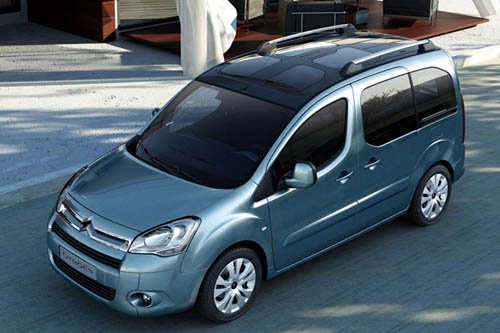
How to Change a Fuse on a Citroen Berlingo
Model: Citroen Berlingo
MK 2
- Years:
2008, 2009, 2010, 2011, 2012, 2013, 2014, 2015, 2016, 2017, 2018
Video tutorial
In this video, you will see how to change a fuse in the engine fuse box located on the Citroen Berlingo MK2: The engine compartment fuse box is on the right side of the battery when looking at the vehicle from the front. On the outer sides of the box, there are two tabs: simply press them, and the cover will lift easily. Inside, you will find all the fuses arranged according to the model indicated in the vehicle's user and maintenance manual. Try to remove one. As the YouTuber shows, using your fingers is not the best method. It is much better to remove them with the special tweezers (which are usually found in the glove compartment) to avoid breaking the metal part inside while removing it. To replace it, simply press gently into its housing.
Updated on 2 September 2026 by ScegliAuto
Related tutorials
Citroen Berlingo
(2008-2018 /
MK 2)
If the cigarette lighter in your Citroen Berlingo has suddenly stopped working, the first thing to do is check the status of the corresponding fuse, …

Citroen Berlingo
(2008-2018 /
MK 2)
If the radiator fan on your Citroen Berlingo has suddenly stopped working, first check the status of the fuse for the control module, which is locate…

Citroen Berlingo
(2008-2018 /
MK 2)
In this video, you can see the diagram of the fuse boxes, as well as their location, in the Citroen Berlingo, useful in case you need to check the fu…
Other guides you may be interested in
|
How to reset the tyre pressure warning light on the Kia Niro EV?
To reset the tyre pressure warning light on the Kia Niro EV, inflate the tyres until they reach the correct pressure value. This value is indicated on the sticker attached to the driver's door pillar. Once the tyres are inflated, turn on the instrument cluster to check that the warning light has completely disappeared from the display. If it is still present, you may need to drive for a few miles to ensure it disappears completely from the screen. by ScegliAuto More videos
|
|
For advertising on this site Write to info@scegliauto.com
ScegliAuto is not responsible for any inaccuracy of the data in the lists. To report any inaccuracy or your business (if you own the business in question), please write to info@scegliauto.com
Number of seconds to generate the page: 0.196
(c) ScegliAuto 2026 - info@scegliauto.com - Privacy policy VAT number: IT01247470535 |
