
|
Do it yourself
| |||
| ||||


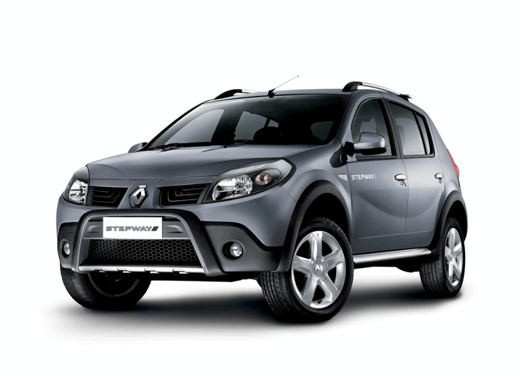
Resetting Service Light on Dacia Sandero
Model: Dacia Sandero
BS
- Years 2008-2012
When performing maintenance that includes changing the engine oil and its filter, you then need to reset the service warning light on the instrument cluster: for this model, it is a manual operation and can be done without diagnostic tools; while holding the accelerator pedal fully down, turn on the ignition without starting the engine, then use the button located beside the wiper control stalk to scroll through the menu options until you reach the maintenance section; hold it down for a few seconds until the new maintenance interval appears, then turn off the ignition.
Updated on 2 March 2026 by ScegliAuto
This video is currently unavailable
Related tutorials
Dacia Sandero
(2021-2026 /
MK 3)
As the mileage expected by the manufacturer for the service of the Dacia Sandero approaches, an orange warning light appears on the instrument panel …

Dacia Sandero
(2021-2026 /
MK 3)
The following steps will allow you to reset the service light for routine maintenance on the Dacia Sandero. First, get in the vehicle and turn on the…

Dacia Sandero
(2012-2020 /
B8)
Below, we will discover how to reset the maintenance warning (service) light on a Dacia Sandero. First, get in the vehicle and turn on the instrument…
Other guides you may be interested in
|
Frequently Asked QuestionsHow to Reset the Central Locking of the Volkswagen Golf 4?
If the central locking system of the Volkswagen Golf 4 is not working, it is likely necessary to reset the system: to do this, open the driver's door and detach the side panel of the dashboard next to the steering wheel. Under this panel, you will find the fuses, including the one for the central locking, which is indicated in the manual as number 14. To reset the system, remove this fuse from its housing, then reinsert it or replace it with a new one of the same amperage: this will reset the central locking system. by ScegliAuto More videos
|
|
For advertising on this site Write to info@scegliauto.com
ScegliAuto is not responsible for any inaccuracy of the data in the lists. To report any inaccuracy or your business (if you own the business in question), please write to info@scegliauto.com
Number of seconds to generate the page: 0.215
(c) ScegliAuto 2026 - info@scegliauto.com - Privacy policy VAT number: IT01247470535 |
