
|
Do it yourself
| |||
| ||||


How to replace brake discs and pads and reset the tire warning light on the Dacia Sandero.
Model: Dacia Sandero
B8
- Years 2012-2020
On the Dacia Sandero, replacing the discs and pads requires attention because it directly concerns safety. Before starting, work on a stable surface, engage a gear, and place wheel chocks on the wheels that remain on the ground. Loosen the wheel bolts while the vehicle is on the ground, then lift it and secure it with jack stands, leaving the jack only as a temporary support. With the wheel removed, access the brake assembly and free the caliper from its fasteners. The caliper should be supported without letting it hang from the hose, as this avoids stress and potential damage to the brake line. After removing the caliper, disassemble the caliper bracket if necessary, then slide off the brake disc. Before installing the new disc, it is important to clean the hub seating thoroughly, removing any rust and dirt, as even small residues can cause vibrations or improper seating. Install the new disc and move on to the pads. To reinsert the caliper with new pads, the piston must be retracted into its housing using the appropriate tool and controlled movements. During this phase, check the brake fluid level, as it may rise when the piston is retracted. Reassemble the bracket and caliper, ensuring everything moves correctly and that the pads are seated properly. At the end of the job, reinstall the wheel and tighten according to the manufacturer's specifications. Before moving the car, press the brake pedal several times until it feels firm again, which will bring the pads into contact. Conduct a low-speed test in a safe area, with light and progressive braking to settle the components; if any unusual noises, vibrations, or pulling to one side occur, it is prudent to stop and recheck the installation. For resetting the tire pressure warning light, the correct procedure always starts with the tire pressure: inflate the tires to the values indicated on the vehicle's label. Then turn on the ignition and start the memorization procedure using the dedicated button or from the dashboard/infotainment menu, holding the confirmation until the vehicle indicates that the registration has been successful. After the reset, it may be necessary to drive for a few minutes for the system to update its status.
Posted on 23 December 2025 by ScegliAuto
Video tutorial
Related tutorials
Dacia Sandero
(2012-2020 /
B8)
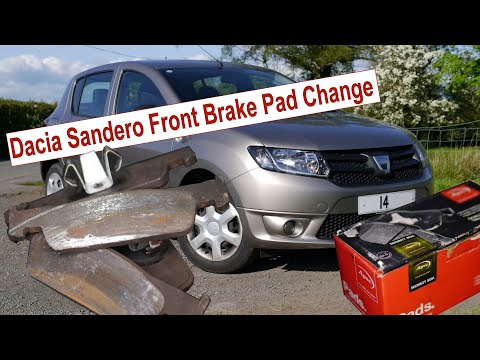
Below, you will discover the information that will allow you to remove and replace the front brake pads on a Dacia Sandero in simple steps. First, li…
Dacia Sandero
(2008-2012 /
BS)
Replace the front brake pads on a Dacia Sandero. Lift the car on a column lift to the desired height. Remove the wheel using a telescopic spanner or …
Dacia Sandero
(2012-2020 /
B8)
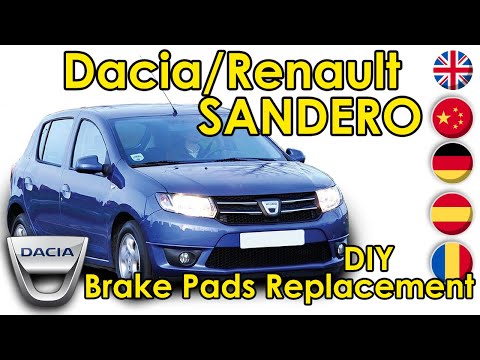
In today’s tutorial video, you will see step-by-step instructions to remove and replace the front brake pads on a second-generation Dacia Sandero. Fi…
Other guides you may be interested in
|
How to Open a Stuck Boot on the Peugeot 407?
On the Peugeot 407, the boot may become stuck, possibly due to a problem with the control button or the lock actuator. In such cases, you can perform an emergency opening by following the simple procedure shown in this tutorial. First, open the rear doors, then lower the seat back by operating the release lever. Next, go inside the boot, locate the lock, and manually operate it using a flathead screwdriver. The boot will then be free to open. by ScegliAuto More videos
|
|
For advertising on this site Write to info@scegliauto.com
ScegliAuto is not responsible for any inaccuracy of the data in the lists. To report any inaccuracy or your business (if you own the business in question), please write to info@scegliauto.com
Number of seconds to generate the page: 0.612
(c) ScegliAuto 2026 - info@scegliauto.com - Privacy policy VAT number: IT01247470535 |
