
|
Do it yourself
| |||
| ||||


How to Replace Engine Oil and Oil Filter in a Dodge Durango
Model: Dodge Durango
WK2, MK 3
- Years:
2011, 2012, 2013, 2014, 2015, 2016, 2017, 2018, 2019, 2020, 2021, 2022
Video tutorial
In this video tutorial, learn how to replace the engine oil and oil filter in a Dodge Durango. First, get in the vehicle, turn off the engine, and pull the handbrake. Lift the bonnet and secure it with the prop rod. Remove the cap on the engine cover to locate the oil filter. Lift the vehicle with a hydraulic jack and place safety stands underneath. Position a container for collecting used oil under the oil sump; using a 13 mm spanner, unscrew the oil drain plug (wear personal protective equipment: gloves and safety glasses) and wait for all the oil to drain. Refit the drain plug with the spanner. Lower the vehicle to the ground and use a torch to better see the oil filter; using a ratchet with a 24 mm socket and extension, unscrew the filter cap counterclockwise, then remove the old oil filter and place it immediately into a container; install the new seal on the oil filter cap and lubricate the seal with clean oil. Hand-tighten the new filter and then complete the tightening with the appropriate spanner and extension. Refit the cap on the engine cover. This vehicle requires approximately 6 litres of oil (SAE 5W-20); use a funnel to top up the engine oil.
Updated on 21 June 2026 by ScegliAuto
Related tutorials
Dodge Durango
(2011-2024 /
WK2, MK 3)
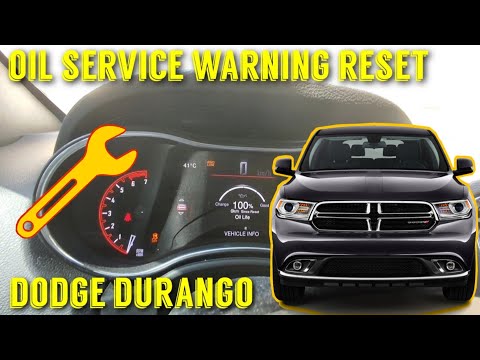
If you own a Dodge Durango and want to learn how to manually reset the engine oil light, simply follow the procedure below and put it into practice. …
Dodge Durango
(2011-2024 /
WK2, MK 3)
To manually reset the engine oil warning light on your Dodge Durango Mk3, a very simple and quick procedure is required, which we will describe below…

Dodge Durango
(2011-2024 /
WK2, MK 3)
Today’s information will show you the procedure to reset the service light for the engine oil change on the Dodge Durango. First, get inside the vehi…
Other guides you may be interested in
|
How to Activate the Automatic Folding and Unfolding of the Wing Mirrors on the Jeep Compass
Follow these brief instructions to activate the automatic folding and unfolding of the external wing mirrors on the Jeep Compass. First, get inside the vehicle and turn on the ignition; then press the button located beneath the mirror glass adjustment to electrically open the mirror, as shown in the video. Pressing the button in the opposite direction will close the mirrors; by holding the button, the mirrors will open and close automatically! by ScegliAuto More videos
|
|
For advertising on this site Write to info@scegliauto.com
ScegliAuto is not responsible for any inaccuracy of the data in the lists. To report any inaccuracy or your business (if you own the business in question), please write to info@scegliauto.com
Number of seconds to generate the page: 0.096
(c) ScegliAuto 2026 - info@scegliauto.com - Privacy policy VAT number: IT01247470535 |
