
|
Do it yourself
| |||
| ||||


Replacing Dipped Beams on Fiat Panda
Model: Fiat Panda
169, MK 2
- Years 2003-2012
Lift the bonnet and insert the support rod. For safety, disconnect the battery and remove the ignition key. Remove the rubber cover (or cap) located behind the headlight by simply pulling it off. The bulb is positioned in a clip-in holder, so just pull the connector attached to it, and the 'duo' will come out of the headlamp. At this point, detach the bulb from the connector. Insert the new H4 bulb you purchased into the connector, and put everything back in place inside the headlamp. Replace the rubber cover, close the bonnet, and check that everything works.
Updated on 21 April 2026 by ScegliAuto
Video tutorial
Related tutorials
Fiat Panda
(2003-2012 /
169, MK 2)
Before you can start, sit in the driver's seat of your Fiat Panda. It is strongly advised to perform this operation with the engine off, to avoid acc…
Fiat Panda
(1980-2003 /
141, MK 1)
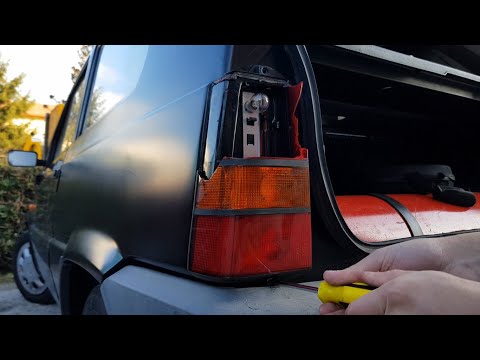
Before you start, open the boot of your Fiat Panda. Begin by unscrewing and removing the screws that secure the rear light to the vehicle. Then, dise…

Fiat Panda
(2003-2012 /
169, MK 2)
Replace the oil and filter on a Fiat Panda. Start by opening the car door and pulling up the engine compartment release lever located at the bottom l…
Other guides you may be interested in
|
How to Reset the Central Locking of the Volkswagen Golf 4?
If the central locking system of the Volkswagen Golf 4 is not working, it is likely necessary to reset the system: to do this, open the driver's door and detach the side panel of the dashboard next to the steering wheel. Under this panel, you will find the fuses, including the one for the central locking, which is indicated in the manual as number 14. To reset the system, remove this fuse from its housing, then reinsert it or replace it with a new one of the same amperage: this will reset the central locking system. by ScegliAuto More videos
|
|
For advertising on this site Write to info@scegliauto.com
ScegliAuto is not responsible for any inaccuracy of the data in the lists. To report any inaccuracy or your business (if you own the business in question), please write to info@scegliauto.com
Number of seconds to generate the page: 0.170
(c) ScegliAuto 2026 - info@scegliauto.com - Privacy policy VAT number: IT01247470535 |
