
|
Do it yourself
| |||
| ||||


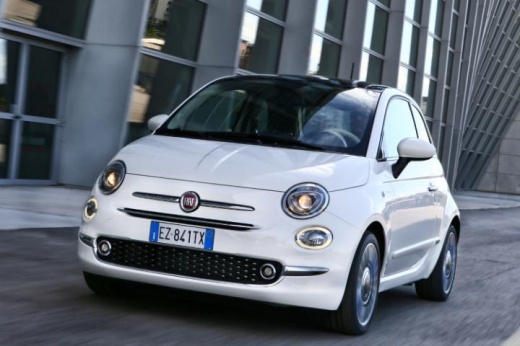
How to Activate Lane Assist on the Fiat 500X
Model: Fiat 500
500 X
- Years:
2014, 2015, 2016, 2017, 2018, 2019, 2020, 2021, 2022
Video tutorial
To activate lane assist on the Fiat 500X, press the button at the far left of the stalk that controls the indicators (to the left of the steering wheel) with a corresponding alert on the dashboard display. If the engine is turned off and then restarted, the system remains activated or deactivated as previously set before the engine was turned off. To deactivate the lane assist system, simply press the button on the far left of the indicator stalk (to the left of the steering wheel) with a corresponding alert on the dashboard display. The lane assist system, once activated, becomes active if the following parameters are met: The driver keeps at least one hand on the steering wheel; the speed is between 37 mph and 112 mph; one of the lane markings is clearly visible; visibility conditions are adequate; the road is straight or has wide curves, and the indicator is off.
Updated on 20 May 2026 by ScegliAuto
Related tutorials
Fiat 500
(2020-2026 /
500 E, 332)
In this short guide, we will see the instructions that will allow us to enable and disable the lane assistant or lane assist on the Fiat 500e, in sim…

Fiat 500
(2014-2022 /
500 X)
In today's video, learn how to activate two useful driving assistance systems in the Fiat 500X. Specifically, we will see how to activate the parking…

Fiat 500
(2014-2022 /
500 X)
To activate the uConnect Live feature on the Fiat 500X, no action is required as it is already integrated into the car's operating system. It is free…
Other guides you may be interested in
|
Frequently Asked QuestionsHow to Remove the Toll Tag Holder from the Car Windscreen
The toll tag holder is usually attached to the car windscreen to ensure that the toll tag functions immediately when passing through barriers. However, if you decide to remove the holder, you should follow this procedure: - Insert the toll tag into the holder; - Pull the holder inwards to detach it from the windscreen; you can use a glass scraper or a stiff plastic card to assist you; After removing the holder, it is essential to remove the adhesive from the windscreen. To remove the adhesive, we recommend using a solvent-based spray that will remove the glue without clouding the area. by ScegliAuto More videos
|
For advertising on this site Write to info@scegliauto.com
ScegliAuto is not responsible for any inaccuracy of the data in the lists. To report any inaccuracy or your business (if you own the business in question), please write to info@scegliauto.com
Number of seconds to generate the page: 0.043
(c) ScegliAuto 2026 - info@scegliauto.com - Privacy policy VAT number: IT01247470535 |
