
|
Do it yourself
| |||
| ||||


Installing the Cylinder Head Gasket
Model: Fiat Punto
MK 2, 188
- Years:
1999, 2000, 2001, 2002, 2003, 2004, 2005, 2006, 2007, 2008, 2009, 2010
Video tutorial
The cylinder head gasket is a static sealing element that sits between surfaces to prevent the leakage of fluids or gases. These gaskets usually fail due to overheating. The timing belt and engine block have two clearly visible reference marks; before removing the belt, ensure these marks align perfectly. Special attention must be paid during the tightening phase of the head with the new gasket to the cylinder base. Once the head is tightened, ensure that the timing marks on the belt pulley and the block are still aligned.
Updated on 14 February 2026 by ScegliAuto
Related tutorials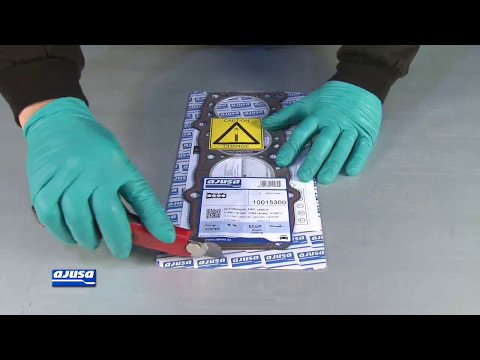
Fiat Punto
(1999-2011 /
MK 2, 188)
Before applying the new cylinder head gasket, it is absolutely essential to check the flatness of the surfaces, both on the head side and the cylinde…
Fiat Punto
(1999-2011 /
MK 2, 188)
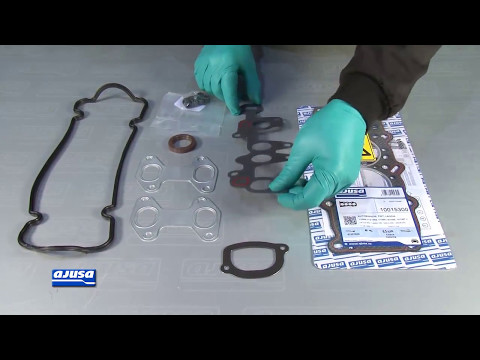
Before applying the new gasket to the intake manifold, thoroughly clean the gasket seating surfaces, both on the manifold side and the cylinder head …

Fiat Punto
(1999-2011 /
MK 2, 188)
In this video, you will see how to remove and replace the cylinder head cover gasket on a second series Fiat Punto. First, lift the engine bonnet and…
Other guides you may be interested in
|
How to reset the tyre pressure warning light on the Dacia Sandero?
The tyre pressure warning light that appears on the instrument cluster of the Dacia Sandero can be reset by inflating the tyres until they reach the correct pressure value: this value is indicated on the sticker attached to the driver’s door pillar. Once the inflation is complete, navigate through the menu that appears on the instrument cluster to find the option related to the tyres: select this with the OK button, which should then be held down for a few seconds to completely turn off the light. by ScegliAuto More videos
|
|
For advertising on this site Write to info@scegliauto.com
ScegliAuto is not responsible for any inaccuracy of the data in the lists. To report any inaccuracy or your business (if you own the business in question), please write to info@scegliauto.com
Number of seconds to generate the page: 0.071
(c) ScegliAuto 2026 - info@scegliauto.com - Privacy policy VAT number: IT01247470535 |
