
|
Do it yourself
| |||
| ||||


Replacement of the cigarette lighter fuse of the Ford Focus MK2
Model: Ford Focus
Focus 2, MK 2
- Years 2004-2011
The cigarette lighter socket has become more and more often the power source for charging smartphones and tablets, this more intense use exposes it to the possibility of a fuse intervention to protect it from overvoltages due to hasty disconnections. In case this happens, we see how to replace the fuse: we open the panel to the left of the steering wheel, to access the fuse plate, the one we are interested in is the sixth from the left of the second row starting from the top, yellow in color and 20A. Using pliers, we extract it, replace it with a new one and close the panel.
Posted on 28 December 2024 by ScegliAuto
Video tutorial
Related tutorials
Ford Focus
(2004-2011 /
Focus 2, MK 2)
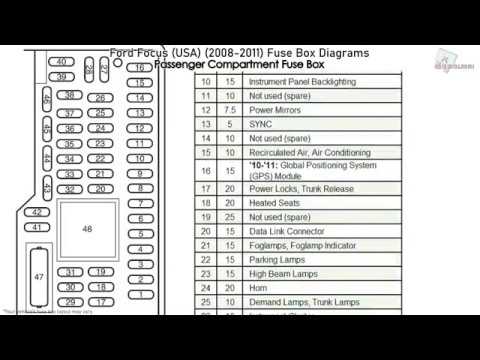
The Ford Focus MK2 model, produced from 2004 to 2011, has only one fuse box inside. The fuse box is located inside the cabin, specifically behind the…
Ford Focus
(2004-2011 /
Focus 2, MK 2)
In this video we can see the fuse diagram of the Ford Focus, useful in case a device is malfunctioning and we therefore want to check the relative fu…
Ford Focus
(2011-2018 /
MK 3)
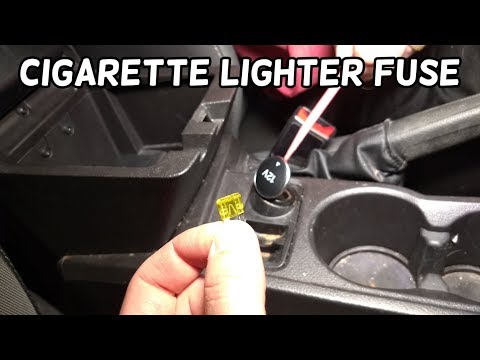
In case the cigarette lighter socket of our Ford Focus has stopped working, we can first check the status of the corresponding fuse, the location of …
Other guides you may be interested in
|
How to Pair Smartphone with Bluetooth System on Fiat Tipo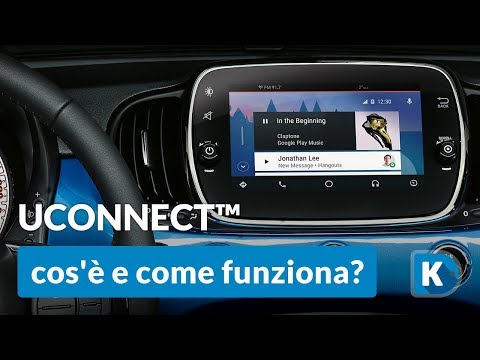
Here’s how to pair your smartphone with the Bluetooth system of the Fiat Tipo's car radio: activate the Bluetooth on your smartphone and set the car radio to connect with the external device. When the car's multimedia system detects your smartphone's Bluetooth, confirm and click on the 'new cell' option. Once the system has detected the smartphone, enter the pairing password if necessary. Finally, download the app on your smartphone and confirm the pairing with the car's multimedia system. Now your smartphone is connected to your car. by ScegliAuto More videos
|
|
For advertising on this site Write to info@scegliauto.com
ScegliAuto is not responsible for any inaccuracy of the data in the lists. To report any inaccuracy or your business (if you own the business in question), please write to info@scegliauto.com
Number of seconds to generate the page: 0.068
(c) ScegliAuto 2026 - info@scegliauto.com - Privacy policy VAT number: IT01247470535 |
