
|
Do it yourself
| |||
| ||||


How are you
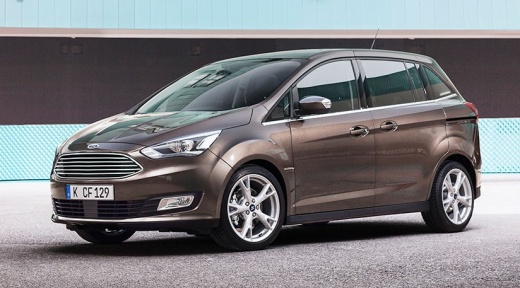
Model: Ford C Max
MK 2
- Years 2010-2019
In this video, we see how to delete devices from the Bluetooth of a Ford CD 6000 Radio: turn on the radio and the display, then press the button located at the bottom of the keypad on the left side of the screen, which is the one with the phone receiver icon, and then press the "menu" button twice, located on the right side. Then, use the right scrolling button to scroll through the devices present and delete the ones you want to remove by pressing the "menu" button each time. This will free up space to add other devices that you want to keep in memory.
Posted on 31 March 2025 by ScegliAuto
Video tutorial
Related tutorials
Ford C Max
(2010-2019 /
MK 2)
The procedure for replacing the battery installed on the Ford C-Max involves opening the rear hatch so that you have access to the trunk compartment:…

Ford C Max
(2010-2019 /
MK 2)
Using the small button on the remote control, remove the hatch with the Ford emblem on the remote control, as shown in the video. Once this is done, …

Ford C Max
(2010-2019 /
MK 2)
In this video we will see what to do if the tailgate of the Ford C-Max does not open. It could be due to one of the fuses. This model of C-Max has th…
Other guides you may be interested in
|
How to Replace the Rear Indicator Bulb on an Audi A3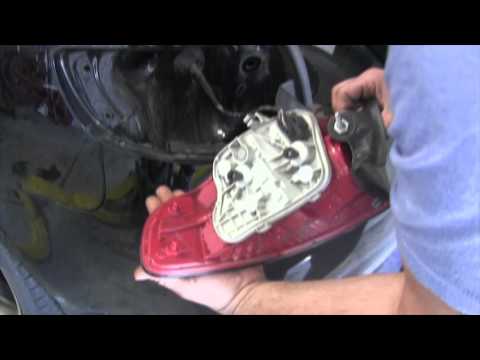
Position the car on a ramp or flat surface and immobilise it. Now, open the boot lid and, inside, corresponding to the rear light where you want to replace the indicator bulb, remove the small plastic cover using a screwdriver. Inside the hole, you will find a bolt (to be removed with a flat screwdriver); once this is undone, you can remove the entire rear light assembly. After this, proceed to remove the part inside the light assembly by unscrewing the 2 small bolts, as shown in the images. In the part you just removed, all the bulbs of the light are mounted. To replace them, simply remove them from their sockets and fit the new ones. To reassemble the entire unit, repeat all the steps shown in the images in reverse order. by ScegliAuto More videos
|
|
For advertising on this site Write to info@scegliauto.com
ScegliAuto is not responsible for any inaccuracy of the data in the lists. To report any inaccuracy or your business (if you own the business in question), please write to info@scegliauto.com
Number of seconds to generate the page: 0.101
(c) ScegliAuto 2026 - info@scegliauto.com - Privacy policy VAT number: IT01247470535 |
