
|
Do it yourself
| |||
| ||||


How do you remove the rear bumper of the Ford Galaxy?
Model: Ford Galaxy
MK 3
- Years 2015-2023
In order to remove the rear bumper of the Ford Galaxy, you need to open the rear hatch so that you can access the screws next to the two headlights: once these screws have been loosened, you can remove the light units from their housing so that you can disconnect the underlying connectors. At this point, you can unscrew the screws previously covered by the headlights, as well as those in the wheel arches and the lower part of the bumper: now you can detach the old bumper, insert the new one, and secure it properly.
Posted on 6 May 2025 by ScegliAuto
Video tutorial
Related tutorials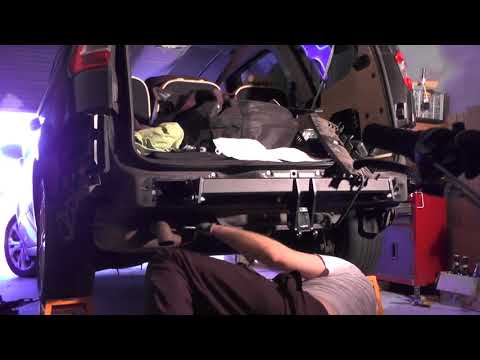
Ford Galaxy
(2006-2015 /
MK 2)
How to remove the rear bumper of a Ford Galaxy? This guide shows the removal process. First, take a screwdriver or battery-powered screwdriver and un…
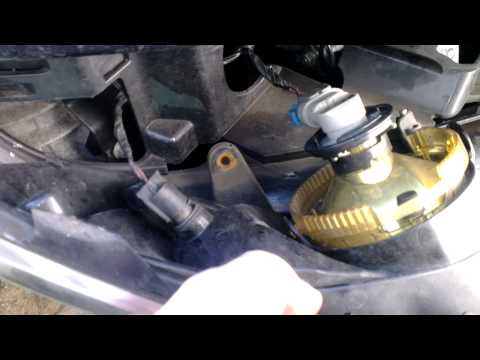
Ford Galaxy
(2006-2015 /
MK 2)
Let's look at removing the fog light from a Ford Galaxy to replace the damaged bulbs. Start by removing the fog light from underneath the bumper. Acc…

Ford Galaxy
(2015-2023 /
MK 3)
If you want to replace the fog light bulb of your Ford Galaxy Mk3 on your own, all you have to do is read the following guide and follow all the step…
Other guides you may be interested in
|
How to Open the Bonnet on the Lancia Y
To open the bonnet on this vehicle, follow these simple instructions: first, open the driver's door and locate the lever positioned just below the dashboard, marked with an image of the vehicle with the bonnet open. Pull this lever towards you until you hear a "click" indicating the bonnet is released. Next, exit the cabin and stand in front of the bonnet to disengage the safety catch and complete the opening. To do this, slightly lift the bonnet, locate the yellow lever underneath, and pull it to the left to fully release and open the bonnet. by ScegliAuto More videos
|
|
For advertising on this site Write to info@scegliauto.com
ScegliAuto is not responsible for any inaccuracy of the data in the lists. To report any inaccuracy or your business (if you own the business in question), please write to info@scegliauto.com
Number of seconds to generate the page: 0.535
(c) ScegliAuto 2026 - info@scegliauto.com - Privacy policy VAT number: IT01247470535 |
