
|
Do it yourself
| |||
| ||||


How to reset the oil light on the Ford Transit
Model: Ford Transit
MK 8
- Years:
2014, 2015, 2016, 2017, 2018, 2019, 2020, 2021, 2022, 2023, 2024
Video tutorial
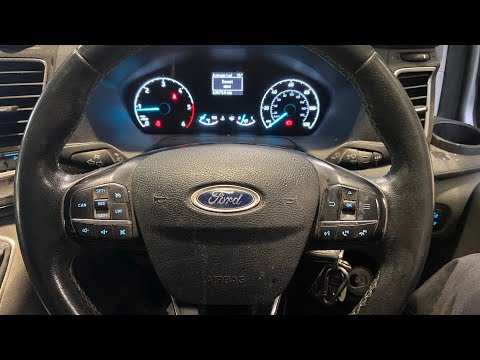
To correctly complete the manual reset of the engine oil light on your new Ford Transit, you only need a few seconds. All you have to do is carefully read the following guide and follow the steps described. First, start the vehicle's instrument panel and then press both the brake pedal and the accelerator pedal all the way down. Wait about 15 seconds and release both pedals as soon as the completion of the oil light reset is confirmed on the instrument panel display. Finally, turn off the instrument panel.
Posted on 4 July 2025 by ScegliAuto
Related tutorials
Ford Transit
(2014-2024 /
MK 8)
To manually reset the oil light on your 2018 Ford Transit, it takes less than a minute. First, get into the driver's seat and insert the key to turn …
Ford Transit
(2014-2024 /
MK 8)
To manually reset the engine oil warning light on your new Ford Transit, simply follow a straightforward procedure outlined in this mini guide. First…

Ford Transit
(2014-2024 /
MK 8)
After performing an oil change on a Ford Transit, it is necessary to reset the oil light. To reset the light, switch on the ignition and then press t…
ScegliAuto offers an extensive international collection of automotive tutorials available in 12 languages. Each guide combines instructional videos with original explanations written by experienced human editors, along with information about the car models covered.
Other guides you may be interested in
|
How do you replace the cabin blower fan on the Peugeot 308?
Open the glovebox on the front passenger side to replace the cabin blower fan on the Peugeot 308. Loosen the screws inside the glovebox to remove it and access the components behind the dashboard. The fan will now be accessible. Undo the screws securing it in place, then disconnect its electrical connectors and remove it. Fit the replacement fan and refit the glovebox. by ScegliAuto More videos
|
|
For advertising on this site Write to info@scegliauto.com
ScegliAuto is not responsible for any inaccuracy of the data in the lists. To report any inaccuracy or your business (if you own the business in question), please write to info@scegliauto.com
Number of seconds to generate the page: 0.058
(c) ScegliAuto 2026 - info@scegliauto.com - Privacy policy - About us VAT number: IT01247470535 |
