
|
Do it yourself
| |||
| ||||


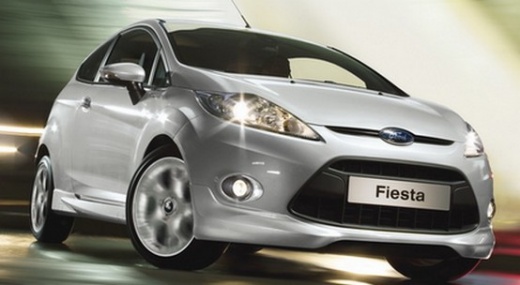
How do you deactivate the open door alarm in the Ford Fiesta?
Model: Ford Fiesta
Fiesta 6, MK VI, MK 6
- Years:
2008, 2009, 2010, 2011, 2012, 2013, 2014, 2015, 2016, 2017
Video tutorial
The method applied in this video guide completely resolves the issue of the open door alarm activation, and it also applies to the rear hatch and the engine hood. Essentially, it identifies the switch that manages this alert and bypasses it, ensuring that the notification no longer occurs, allowing you to calmly determine the cause of the false alarm, such as a shorted electrical cable, a broken switch, internal oxidation, and so on. This is clearly a temporary solution; it is definitely better to restore each component and have the peace of mind that it will function normally in case of need.
Posted on 21 January 2026 by ScegliAuto
Related tutorials
Ford Fiesta
(2008-2017 /
Fiesta 6, MK VI, MK 6)
In this tutorial, you will see how to program a remote for the Ford Fiesta, a very simple and quick operation. To do this, you will obviously need a …

Ford Fiesta
(2002-2008 /
MK V, MK 5, Fiesta 5)
The immobilizer anti-theft system of the Ford Fiesta can be compared to many other Ford cars in terms of the possibility of deactivating it, and in t…
Ford Fiesta
(2002-2008 /
MK V, MK 5, Fiesta 5)
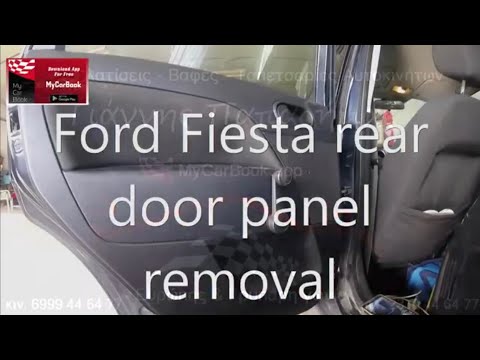
As shown in this tutorial, removing the rear door panel on a Ford Fiesta is a simple and quick task. Start by opening the door in question, then remo…
Other guides you may be interested in
|
How to Remove the Rear Seat of a Hyundai Tucson?
To remove the rear seat of a Hyundai Tucson, follow these steps. Start by moving the front seats to their most forward position to gain space. Next, locate the release lever on the underside of the rear seat, near the floor. Press this lever down while pulling the seat upwards to unlock it from the anchor pins. Once unlocked, tilt the seat upwards and forwards to remove it from its position. Repeat this process for both sides of the rear seat. Be careful of any electrical cables or components that may be connected to the seat during removal. Once the rear seat is removed, the disassembly is complete. by ScegliAuto More videos
|
|
For advertising on this site Write to info@scegliauto.com
ScegliAuto is not responsible for any inaccuracy of the data in the lists. To report any inaccuracy or your business (if you own the business in question), please write to info@scegliauto.com
Number of seconds to generate the page: 0.033
(c) ScegliAuto 2026 - info@scegliauto.com - Privacy policy VAT number: IT01247470535 |
