
|
Do it yourself
| |||
| ||||


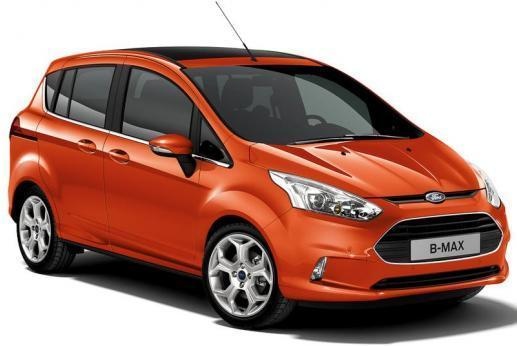
How to reset the Service light on the Ford B-Max?
Model: Ford B Max
MK 1
- Years 2012-2018
To reset the Service light on the Ford B-Max, turn on the instrument panel by inserting the ignition key into the ignition switch: once the panel is on, press and hold the accelerator and brake pedals simultaneously for about a minute. Once both pedals have been held down, you will notice that the Service light will be completely reset; the panel can then be turned off by turning the key, and when it is turned on again, the Service light will be off.
Updated on 6 September 2026 by ScegliAuto
Video tutorial
Related tutorials
Ford B Max
(2012-2018 /
MK 1)
In this video, we see how to reset the service light of a Ford B Max car. First, get into the car and insert the key into the appropriate slot, turn …

Ford B Max
(2012-2018 /
MK 1)
To reset the service light on the Ford B-Max, first park your car on a flat area or place it on a ramp. This precaution is advisable whenever mainten…

Ford B Max
(2012-2018 /
MK 1)
Let’s see how to reset the tyre service indicator on a Ford B-Max. This is a very simple operation: enter the vehicle, turn on the ignition (you will…
Other guides you may be interested in
|
How to Check the Oil Level on a Jeep Renegade?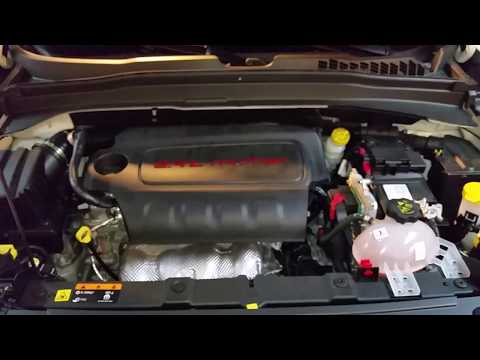
To check the oil level on a Jeep Renegade, you need to open the bonnet to access the components inside the engine bay: on the lower left side of the engine block, you will find the dipstick for checking the level. This should be pulled out and thoroughly cleaned with a cloth: once cleaned, reinsert it back into its tube and pull it out immediately after. This way, you can check that the oil mark is between the minimum and maximum levels; finally, you can place the dipstick back in its tube. by ScegliAuto More videos
|
|
For advertising on this site Write to info@scegliauto.com
ScegliAuto is not responsible for any inaccuracy of the data in the lists. To report any inaccuracy or your business (if you own the business in question), please write to info@scegliauto.com
Number of seconds to generate the page: 0.182
(c) ScegliAuto 2026 - info@scegliauto.com - Privacy policy VAT number: IT01247470535 |
