
|
Do it yourself
| |||
| ||||



How to Change Your Car's Oil Filter
Model: Honda CR-V
MK 4
- Years:
2012, 2013, 2014, 2015, 2016, 2017
Video tutorial
The oil filter is one of the most important components to consider in your car's maintenance. Each time you change the engine oil, you must also change the filter, which purifies the oil circulating in the engine from impurities. If the filter is dirty, it can cause irreversible damage to the vehicle. To perform the disassembly operation, lift the car with a jack and then unscrew the old filter with a spanner. While removing the filter, you should also change the engine oil. Once the new filter is screwed in, simply remove the jack from under the car and the job is complete.
Updated on 10 February 2026 by ScegliAuto
Related tutorials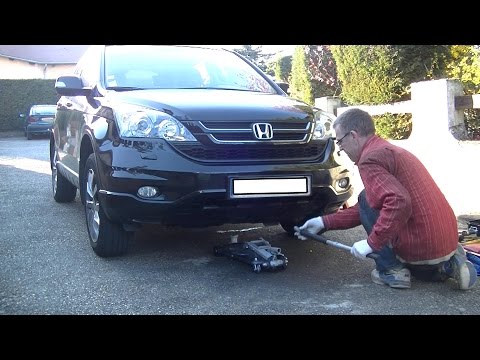
Honda CR-V
(2007-2012 /
MK 3)
Today, this short video will show you how to change the engine oil and oil filter on your Honda CR-V. It is not a very complex operation; just take s…

Honda CR-V
(2002-2007 /
MK 2)
Using a special oil filter wrench, unscrew the filter by turning it counterclockwise. Once unscrewed, pull upwards to remove it. At this point, turn …

Honda CR-V
(2007-2012 /
MK 3)
As you know, no matter how new a car is, over time and mileage, small issues can arise that are easily fixable and fortunately inexpensive. In this v…
Other guides you may be interested in
|
How to Reset the Tyre Light on a Toyota Aygo?
To reset the tyre light on a Toyota Aygo, start by locating the reset button, which is found in the glove compartment of the front passenger side. Turn on the car and ensure that the tyres are at the correct pressure. Then, press and hold the reset button for a few seconds until the tyre light either flashes or turns off, depending on the model. Release the button and wait for the reset procedure to complete. Restart your Toyota Aygo and check if the tyre light has turned off, indicating that the reset was successful. by ScegliAuto More videos
|
|
For advertising on this site Write to info@scegliauto.com
ScegliAuto is not responsible for any inaccuracy of the data in the lists. To report any inaccuracy or your business (if you own the business in question), please write to info@scegliauto.com
Number of seconds to generate the page: 0.057
(c) ScegliAuto 2026 - info@scegliauto.com - Privacy policy VAT number: IT01247470535 |
