
|
Do it yourself
| |||
| ||||


Hyundai I30 - Shift knobShift Knob Hyundai I30 (2016-2024 / mk 3, pd) Hyundai I30 (2011-2016 / GD, MK 2)
How to Replace the Gear Knob on a Hyundai i30 The instructions provided in this guide will illustrate the procedure for removing and replacing the manual gear knob of a Hyundai i30. First, get into the …Read all… Posted on 2 June 2026 by ScegliAuto 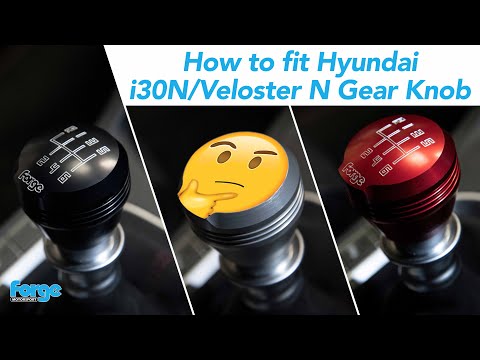 Hyundai I30 (2016-2024 / MK 3, PD)
How to Replace the Gear Knob on a Hyundai i30? To replace the gear knob on a Hyundai i30, grip the gear gaiter to pull the knob upwards, detaching it completely. Once the old knob is removed from the …Read all… Posted on 13 October 2026 by ScegliAuto 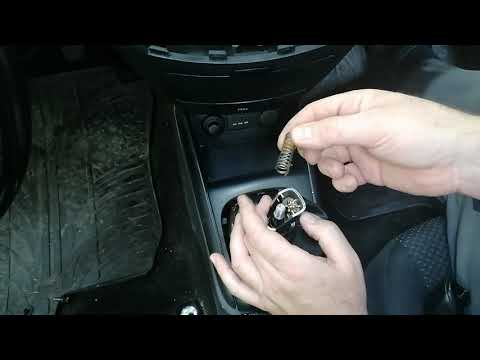 Hyundai I30 (2011-2016 / GD, MK 2)
Replacing Gear Gaiter and Gear Knob on Hyundai i30 Lift the gear gaiter from the lower support by simply pulling it with your hands, then unscrew the gear knob (it requires quite a bit of turning) until you can …Read all… Posted on 7 May 2026 by ScegliAuto Shift Knob Hyundai I30 (2011-2016 / gd, mk 2)
Hyundai I30 (2011-2016 / GD, MK 2)How to Replace the Gear Knob on a Hyundai i30 The instructions provided in this guide will illustrate the procedure for removing and replacing the manual gear knob of a Hyundai i30. First, get into the …Read all… Posted on 2 June 2026 by ScegliAuto
Hyundai I30 (2016-2024 / MK 3, PD)How to Replace the Gear Knob on a Hyundai i30? To replace the gear knob on a Hyundai i30, grip the gear gaiter to pull the knob upwards, detaching it completely. Once the old knob is removed from the …Read all… Posted on 13 October 2026 by ScegliAuto
Hyundai I30 (2011-2016 / GD, MK 2)Replacing Gear Gaiter and Gear Knob on Hyundai i30 Lift the gear gaiter from the lower support by simply pulling it with your hands, then unscrew the gear knob (it requires quite a bit of turning) until you can …Read all… Posted on 7 May 2026 by ScegliAuto Airbag (3) Speaker (2) Shocks (1) Air conditioning (1) Car stereo (6) Battery (6) Ignition coil (2) Bushings (1) Transmission (1) Spark plugs (2) Body (3) Wheel rim (1) Key (15) Timing belt (1) Onboard computer (6) Checks and maintenance (17) Dashboard (2) Shifter boot (1) Headlight (9) Tail light (4) Fog lights (2) Air filter (3) Cabin air filter (4) Diesel fuel filter (2) Oil filter (1) Parking brake (4) Window switch (1) Light bulb (4) Headlight bulb (9) Tail light bulb (2) Interior dome light bulb (2) License plate light (2) Engine (1) Power window motor (3) Transmission fluid (1) Clock (5) Door trim panel (2) Front bumper (1) Rear bumper (1) Brake pads (2) Shift knob (3) Instrument cluster (3) Heater core (1) Fuse box (13) Seat (3) Side mirror (7) Warning light – error code (9) Tire pressure warning light (13) Service warning light (75) Manufacturer emblem (1) Fuel cap (3) Windshield wipers (3) Center console tunnel (1) EGR valve (1) Steering wheel (2) |
How to Set the Date and Time on the Iveco Daily
Today, we will see in this video tutorial how to change the date and time on the Iveco Daily. First, get into the vehicle and turn on the instrument panel; then go to the vehicle settings on the central display, pressing the relevant option for date and time. At this point, press the "set" button located at the top, using the physical arrow buttons to set both the date and time; finally, exit the onboard computer menu to save the changes made! by ScegliAuto More videos
|
|
For advertising on this site Write to info@scegliauto.com
ScegliAuto is not responsible for any inaccuracy of the data in the lists. To report any inaccuracy or your business (if you own the business in question), please write to info@scegliauto.com
Number of seconds to generate the page: 0.008
(c) ScegliAuto 2026 - info@scegliauto.com - Privacy policy VAT number: IT01247470535 |
