
|
Do it yourself
| |||
| ||||


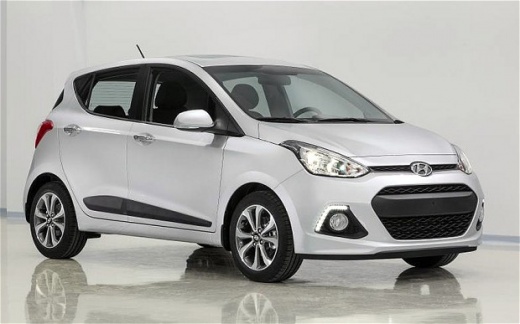
How do you reset the tire pressure sensor in the 2015 Hyundai I10?
Model: Hyundai I10
MK 2, IA
- Years:
2013, 2014, 2015, 2016, 2017, 2018, 2019, 2020
Video tutorial
It should not be forgotten that it is advisable to periodically check the tire pressure of one's vehicle, adjusting these values, if they are lower than expected, to match those specified on the sticker located on the driver's side door frame. The above mentioned is an anomaly and causes the corresponding warning light to turn on, which, however, in the case of the 2015 Hyundai I10, does not require any cancellation procedures to be carried out. The electronic tire sensors simply read the correct value, communicate it to the control unit, and the latter will automatically reset the anomaly.
Posted on 9 April 2025 by ScegliAuto
Related tutorials
Hyundai I10
(2019-2026 /
AC3, AI3)
The tire pressure sensor on the instrument panel of your third generation Hyundai I10 warns you when there is a puncture or when the tires have been …

Hyundai I10
(2019-2026 /
AC3, AI3)
If your Hyundai I10, like all recently manufactured cars, has a flat or deflated tyre, the warning light will illuminate on the instrument panel. Onc…
Hyundai I10
(2013-2020 /
MK 2, IA)
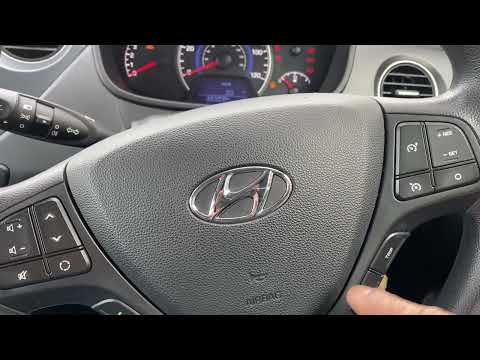
To reset the tyre pressure light on the Hyundai I10, first inflate the tyres to the correct pressure value: this value is indicated on the sticker at…
Other guides you may be interested in |
How to reset the tyre pressure warning light on the Kia Niro EV?
To reset the tyre pressure warning light on the Kia Niro EV, inflate the tyres until they reach the correct pressure value. This value is indicated on the sticker attached to the driver's door pillar. Once the tyres are inflated, turn on the instrument cluster to check that the warning light has completely disappeared from the display. If it is still present, you may need to drive for a few miles to ensure it disappears completely from the screen. by ScegliAuto More videos
|
|
For advertising on this site Write to info@scegliauto.com
ScegliAuto is not responsible for any inaccuracy of the data in the lists. To report any inaccuracy or your business (if you own the business in question), please write to info@scegliauto.com
Number of seconds to generate the page: 0.014
(c) ScegliAuto 2026 - info@scegliauto.com - Privacy policy VAT number: IT01247470535 |
