
|
Do it yourself
| |||
| ||||


How to reset the service light of the Jaguar XKR
Model: Jaguar Xkr
MK 2, X150
- Years 2006-2014
Video tutorial
Detailed instructions - Today, let's see the instructions that will allow us to reset the service light for the routine maintenance oil change of the Jaguar XKR. First, get inside the cabin and start pressing and holding the button located at the end of the left lever of the steering wheel; turn on the ignition and wait for the confirmation of the service light reset to appear, waiting for the reset procedure to complete on the instrument cluster display. Finally, turn off the ignition and start the engine, checking the effective reset of the maintenance key!
Posted on 1 October 2026 by ScegliAuto
Related tutorials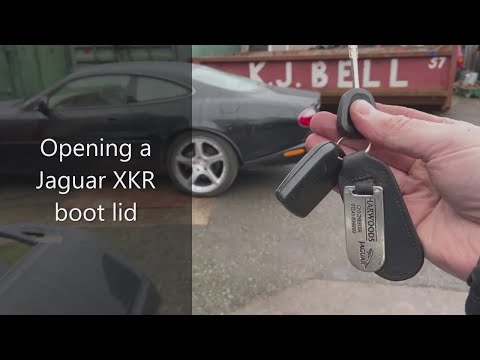
Jaguar Xkr
(1996-2006 /
MK 1, X100)
Before you can start, exit the cabin of your Jaguar XKR. The lock to open the boot is located inside the rear badge where it says "XKR": Start by ins…

Jaguar Xkr
(1996-2006 /
MK 1, X100)
Today, we will explain how to reset the service light related to the car service on a Jaguar XKR. Press the fog light button for three seconds and th…

Jaguar Xkr
(1996-2006 /
MK 1, X100)
In this new mini guide aimed at all of you who own a Jaguar XKR, we will explain how you can carry out the manual reset of the service light. First, …
Other guides you may be interested in
|
How to reset the electronic handbrake of the Renault Scenic?
To reset the electronic handbrake on the Renault Scenic, turn on the instrument panel by inserting the ignition key into its slot. Once the panel is on, remove the protective panel of the dashboard located at the bottom left of the steering column. This will allow you to extract the handbrake button and disconnect the connector from the entire device. The lever on the button must be pulled down and then lifted again to restore the handbrake. by ScegliAuto More videos
|
|
For advertising on this site Write to info@scegliauto.com
ScegliAuto is not responsible for any inaccuracy of the data in the lists. To report any inaccuracy or your business (if you own the business in question), please write to info@scegliauto.com
Number of seconds to generate the page: 0.281
(c) ScegliAuto 2026 - info@scegliauto.com - Privacy policy VAT number: IT01247470535 |
