
|
Do it yourself
| |||
| ||||


How to reset the AdBlue warning light in the Land Rover Discovery Sport?
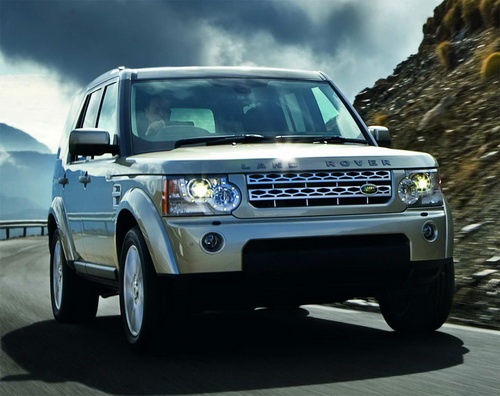
Model: Land Rover Discovery
Discovery 4, MK 4, LR4
- Years 2010-2016
If the AdBlue warning light comes on in the instrument panel of our Land Rover Discovery Sport, it means that the fluid in the anti-pollution system has reached the minimum level and, consequently, needs to be topped up. This is an extremely simple and quick operation, let's see how to proceed in this tutorial. First of all, we buy a urea tank from an auto parts store, then make sure the engine is off and open the hood. Next, locate the indicated cap, unscrew it, and pour the necessary amount of fluid through the hole to reach the ideal level.
Posted on 26 November 2024 by ScegliAuto
Video tutorial
Related tutorials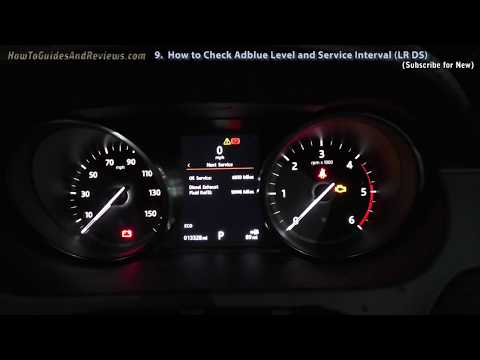
Land Rover Discovery
(2017-2024 /
L462, Discovery 5, MK 5)
In today's video, learn how to reset the oil and AdBlue warning lights in the Land Rover Discovery Sport. First, perform the maintenance recommended …

Land Rover Discovery
(2010-2016 /
Discovery 4, MK 4, LR4)
If the AdBlue warning light has come on in the instrument panel of our Land Rover Discovery Sport, it means that the liquid in the anti-pollution sys…

Land Rover Discovery
(2017-2024 /
L462, Discovery 5, MK 5)
If the AdBlue warning light is on in the dashboard of your Land Rover Discovery Sport, it means that the emissions fluid is at a too low level and ne…
Other guides you may be interested in
|
How to Replace the Cabin Filter on the Opel Grandland X
If you own an Opel Grandland X and want to know the steps to replace the cabin air filter, carefully read the following guide and follow the described steps. First, enter the vehicle and go to the passenger side. Then, locate the box containing the air filter in the lower side area of the dashboard. Remove the cover of the box and finally replace the old filter with the new one. Refit the cover, and you are done. by ScegliAuto More videos
|
|
For advertising on this site Write to info@scegliauto.com
ScegliAuto is not responsible for any inaccuracy of the data in the lists. To report any inaccuracy or your business (if you own the business in question), please write to info@scegliauto.com
Number of seconds to generate the page: 0.223
(c) ScegliAuto 2026 - info@scegliauto.com - Privacy policy VAT number: IT01247470535 |
