
|
Do it yourself
| |||
| ||||


Video tutorial
Replacing the remote battery is necessary when pressing any button on the remote does not illuminate the red LED next to the Mazda symbol; follow these steps to replace it. Extract the "blade" (metal key inside the remote) by activating the release lever at the back, use a screwdriver or knife to gently separate the two halves of the remote at the key housing notch, remove the battery cover and extract the old battery to replace it with a new one of the same type (the one in the video is an Energizer CR2025). After that, replace the battery cover and press the two parts of the remote together until you hear a click, reinsert the metal blade, and you’re done; if the red LED lights up, everything is working perfectly.
Updated on 9 March 2026 by ScegliAuto
Related tutorials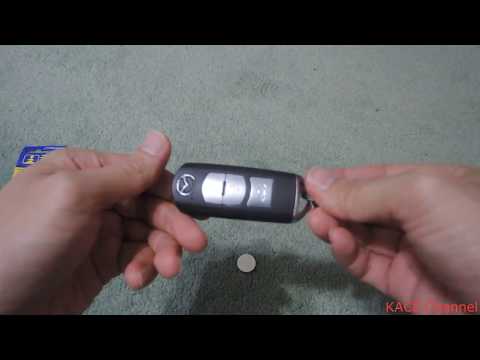
Mazda 3
(2013-2019 /
BM, BN, MK 3)
In this guide, replace the remote battery of a Mazda 3. When you can no longer unlock your car, you need to change the battery inside the key fob. Ta…
Mazda 3
(2013-2019 /
BM, BN, MK 3)
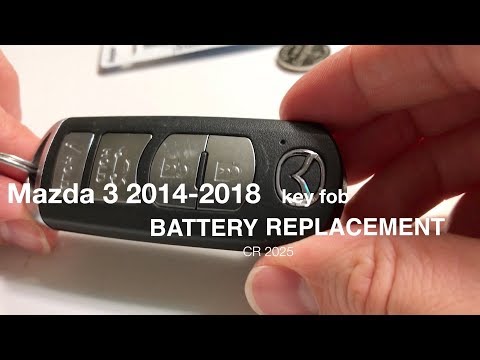
Here are the step-by-step instructions to disassemble and replace the battery of the remote key for the Mazda 3. First, take your remote and remove t…

Mazda 3
(2019-2026 /
MK 4, BP)
Replacing the battery inside the smart key of your Mazda 3 requires just a few simple steps to be done correctly. First, locate the small button on t…
Other guides you may be interested in
|
Frequently Asked QuestionsHow to Reset the Tyre Pressure Warning Light on the Jeep Renegade?
To reset the tyre pressure warning light on the Jeep Renegade, inflate the tyres until they reach the recommended pressure: this value is indicated on the sticker attached to the driver’s door pillar. Once the tyres are properly inflated, navigate through the menu that appears on the instrument cluster until you find the tyre pressure option. At this point, press and hold the OK button on the right side of the steering wheel to make the warning light disappear. by ScegliAuto More videos
|
|
For advertising on this site Write to info@scegliauto.com
ScegliAuto is not responsible for any inaccuracy of the data in the lists. To report any inaccuracy or your business (if you own the business in question), please write to info@scegliauto.com
Number of seconds to generate the page: 0.109
(c) ScegliAuto 2026 - info@scegliauto.com - Privacy policy VAT number: IT01247470535 |
