
|
Do it yourself
| |||
| ||||


Instructions for Removing the Car Radio
Model: Mazda Cx7
MK 1
- Years:
2006, 2007, 2008, 2009, 2010, 2011, 2012
Video tutorial
First, move the gear lever back to facilitate the removal process. Using a small plastic lever, detach the trim around the car radio and climate control: it will come off along with the air vents of the central console. Next, unscrew the securing screws located at the four corners of the car radio and pull it forward while disconnecting the connected plugs. If you need to replace it with an original one, it may be helpful to note the codes on the various labels present.
Updated on 6 February 2026 by ScegliAuto
Related tutorials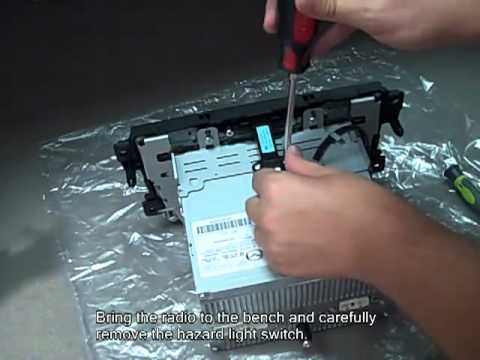
Mazda Cx7
(2006-2012 /
MK 1)
Start by gently removing the plastic trims on either side of the tunnel using just your hands. Remove the screws from the plastic frame and then the …
Mazda Cx7
(2006-2012 /
MK 1)
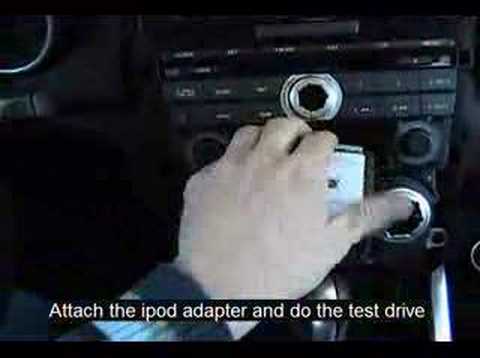
Using a small flathead screwdriver, detach the trim surrounding the two knobs of the car radio and the one with the aluminium edge of the central con…
Mazda Cx7
(2006-2012 /
MK 1)
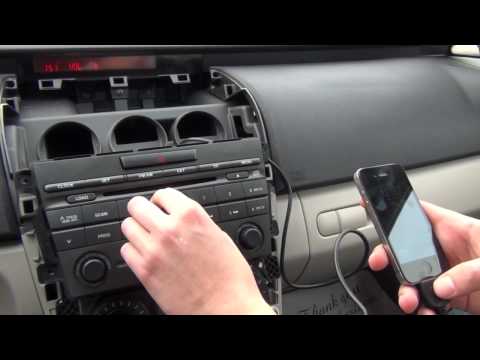
To install the Aux output for iPhone or iPad, you need to remove the car radio: the first step is to remove the aluminium trim around the central con…
Other guides you may be interested in |
How to Reset the Tyre Pressure Warning Light on the Jeep Renegade?
To reset the tyre pressure warning light on the Jeep Renegade, inflate the tyres until they reach the recommended pressure: this value is indicated on the sticker attached to the driver’s door pillar. Once the tyres are properly inflated, navigate through the menu that appears on the instrument cluster until you find the tyre pressure option. At this point, press and hold the OK button on the right side of the steering wheel to make the warning light disappear. by ScegliAuto More videos
|
|
For advertising on this site Write to info@scegliauto.com
ScegliAuto is not responsible for any inaccuracy of the data in the lists. To report any inaccuracy or your business (if you own the business in question), please write to info@scegliauto.com
Number of seconds to generate the page: 0.057
(c) ScegliAuto 2026 - info@scegliauto.com - Privacy policy VAT number: IT01247470535 |
