
|
Do it yourself
| |||
| ||||



Fitting the Upgraded Brake System
Model: Mazda Mx 5
NC, MK 3
- Years:
2005, 2006, 2007, 2008, 2009, 2010, 2011, 2012, 2013, 2014, 2015
Video tutorial
Standing in front of the wheel hub, first remove any debris from the flanged surface where the brake disc will be mounted. Next, insert the screws into the caliper holes, fitted with anti-loosening washers, then mount the caliper bracket onto the hub. To correctly centre the larger disc, ensuring the correct distance from the hub for proper alignment with the rest of the system, screw in the circumferential screws to the correct depth, which act as distance regulators, along with a centring ring on the hub that will fit into the disc hole. At this point, mount the disc paired with a spacer. Once the nuts on the disc screws are tightened, fit the pads and the caliper. For proper and complete efficiency, it is advisable to also install the metal brake fluid circuit pipes.
Updated on 8 February 2026 by ScegliAuto
Related tutorials
Mazda Mx 5
(1998-2005 /
NB, MK 2)
Lift the vehicle with a jack and apply axle stands to securely support it during the repair. Remove the front wheel (loosen the bolts before lifting)…

Mazda Mx 5
(2015-2024 /
ND, MK 4)
If your Mazda MX-5 is equipped with the "rear traffic assist" system, it will signal with an audible alert when vehicles are approaching during rever…
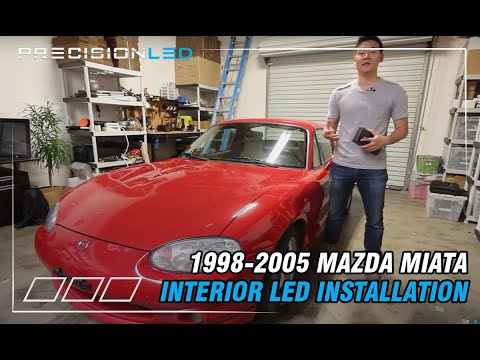
Mazda Mx 5
(1998-2005 /
NB, MK 2)
The term LED stands for "Light Emitting Diode". Installing LEDs in vehicles requires minimal time and effort. This guide explains how to fit economic…
Other guides you may be interested in
|
How to Reset the AdBlue Warning Light on a Peugeot Boxer
To reset the AdBlue system on a 2018 Peugeot Boxer, follow these steps: Start the engine and ensure the vehicle is parked in a well-ventilated area. Locate the "MENU" button on the dashboard or steering wheel controls. Press and hold the "MENU" button until the menu options appear on the display. Use the arrow buttons or scroll wheel to access the "Vehicle Settings" or "Settings" menu. Select the "AdBlue" or "AdBlue System" option. Look for the "Recharge" or "Reset" option in the AdBlue menu. Once you find the reset option, select it and confirm your choice when prompted. The system will be reset, and a confirmation message may appear on the display. Turn off the engine and wait a few seconds. Restart the engine and check that the AdBlue system has been reset. by ScegliAuto More videos
|
|
For advertising on this site Write to info@scegliauto.com
ScegliAuto is not responsible for any inaccuracy of the data in the lists. To report any inaccuracy or your business (if you own the business in question), please write to info@scegliauto.com
Number of seconds to generate the page: 0.019
(c) ScegliAuto 2026 - info@scegliauto.com - Privacy policy VAT number: IT01247470535 |
