
|
Do it yourself
| |||
| ||||


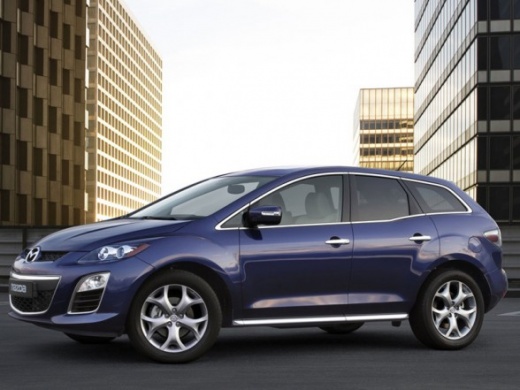
Replacing the Climate Control Bulb
Model: Mazda Cx 7
MK 1
- Years:
2006, 2007, 2008, 2009, 2010, 2011, 2012
Video tutorial
If the climate control buttons on the console do not light up when the lights are turned on, the backlight bulb has blown: to replace it, you need to remove the controls. Start by detaching the trim around the central console, which will come off along with the air vents; then unscrew the fixing screws of the radio and pull it out from its housing by disconnecting the relevant plugs; next, remove the climate control buttons by disconnecting the power plugs and the cable; at this point, extract the bulb holder and replace all the bulbs; proceed in reverse for reassembly.
Updated on 16 February 2026 by ScegliAuto
Related tutorials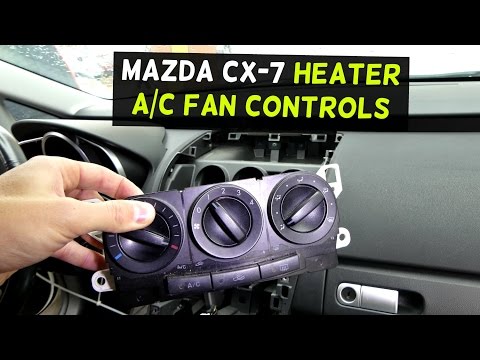
Mazda Cx 7
(2006-2012 /
MK 1)
If you need to dismantle the climate control controls, first unclip the trim that covers the centre console and houses the air vents; once the trim i…
Mazda Cx 7
(2006-2012 /
MK 1)
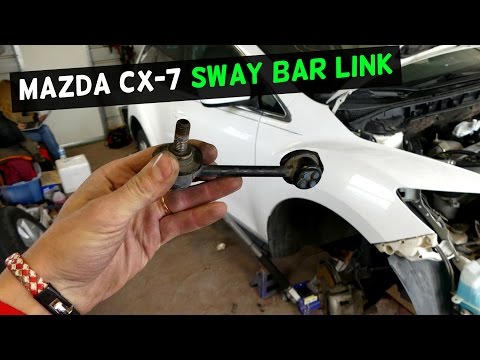
If you hear a noise similar to a knocking coming from the front wheel, especially when driving on uneven surfaces, it is likely that a drop link (als…

Mazda Cx 7
(2006-2012 /
MK 1)
Today, follow these instructions to remove and replace the timing chain on the Mazda CX-7. To access the timing chain, you will need to remove the en…
Other guides you may be interested in
|
How to Reset the Tyre Pressure Warning Light on the Jeep Renegade?
To reset the tyre pressure warning light on the Jeep Renegade, inflate the tyres until they reach the recommended pressure: this value is indicated on the sticker attached to the driver’s door pillar. Once the tyres are properly inflated, navigate through the menu that appears on the instrument cluster until you find the tyre pressure option. At this point, press and hold the OK button on the right side of the steering wheel to make the warning light disappear. by ScegliAuto More videos
|
|
For advertising on this site Write to info@scegliauto.com
ScegliAuto is not responsible for any inaccuracy of the data in the lists. To report any inaccuracy or your business (if you own the business in question), please write to info@scegliauto.com
Number of seconds to generate the page: 0.017
(c) ScegliAuto 2026 - info@scegliauto.com - Privacy policy VAT number: IT01247470535 |
