
|
Do it yourself
| |||
| ||||


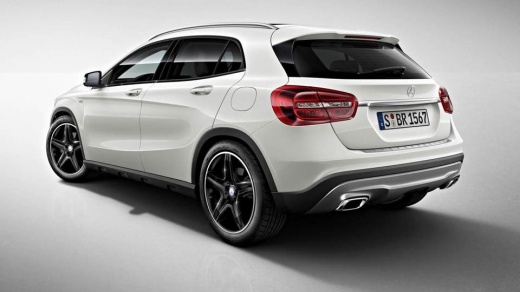
How to replace the windshield wiper blades of the Mercedes GLA
Model: Mercedes Gla
W156, MK 1
- Years:
2013, 2014, 2015, 2016, 2017, 2018, 2019
Video tutorial
Today we will explain how to replace the front and rear windshield wiper blades on a Mercedes GLA model 156. The windshield wiper blades can be purchased online on sites like Amazon or at auto parts stores; replacing the blades will allow for better cleaning of the windshield and improved performance in the rain. To replace the rear windshield wiper blade, we need to lift the arm and press on the hook to slide the blade off. Insert the new blade and lock it in place. To replace the front windshield wiper blade, we need to lift the arm and this time also press on the side locks to slide the blade off. Insert the new blade and lock it in place.
Posted on 14 January 2025 by ScegliAuto
Related tutorials
Mercedes Gla
(2020-2026 /
MK 2, H247)
To replace the wiper blades on a Mercedes-Benz GLA 250, manually lift the wiper arm until it is in a vertical position relative to the windscreen. Id…

Mercedes Gla
(2013-2019 /
W156, MK 1)
For wiper replacement, refer to this video guide, which shows the entire procedure, which is quite simple and DIY-friendly. Note that this tutorial i…

Mercedes Gla
(2013-2019 /
W156, MK 1)
To reset the service light on a Mercedes GLA without going to the mechanic, follow the steps shown in the video. First, turn the key to position 1 an…
Other guides you may be interested in |
How to reset the tyre pressure warning light on the Kia Niro EV?
To reset the tyre pressure warning light on the Kia Niro EV, inflate the tyres until they reach the correct pressure value. This value is indicated on the sticker attached to the driver's door pillar. Once the tyres are inflated, turn on the instrument cluster to check that the warning light has completely disappeared from the display. If it is still present, you may need to drive for a few miles to ensure it disappears completely from the screen. by ScegliAuto More videos
|
|
For advertising on this site Write to info@scegliauto.com
ScegliAuto is not responsible for any inaccuracy of the data in the lists. To report any inaccuracy or your business (if you own the business in question), please write to info@scegliauto.com
Number of seconds to generate the page: 0.015
(c) ScegliAuto 2026 - info@scegliauto.com - Privacy policy VAT number: IT01247470535 |
