
|
Do it yourself
| |||
| ||||


Replacing Auto Brake Rotors
Model: Mercedes Classe C
- Years 1983-1993
Brake rotors are a crucial part of vehicle safety and, of course, for the people on board. This component of the vehicle must be replaced immediately when worn. The following guide shows how to do this in a few simple steps. Usually, when changing the rotors, it is advisable to also replace the brake pads. Most automakers recommend changing them every 50,000 miles or after replacing the pads twice, which are typically changed every 25,000 miles. Changing brake rotors is not a very difficult task. The rotors must have a minimum thickness, which is good practice to verify that you do not exceed, by measuring with a caliper on the outer side.
Updated on 16 February 2026 by ScegliAuto
Video tutorial
Related tutorials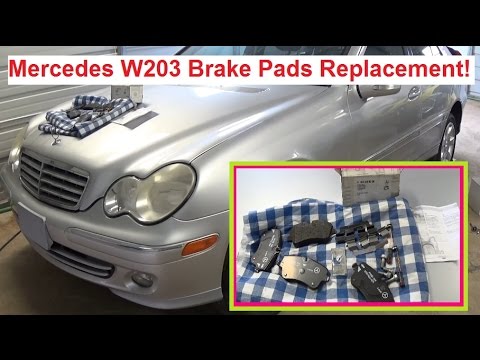
Mercedes Classe C
(2000-2007 /
W203)
If your car's brake pads are not changed in time, you risk damaging the brake rotors. Replacing your car's brake pads is a relatively simple task. Yo…
Mercedes Classe C
(2007-2013 /
W204)
Lift the vehicle on a lift and remove the rear wheel. Remove the retaining spring for the brake pads and the caps from the caliper mounting pins to t…

Mercedes Classe C
(2007-2013 /
W204)
Below we will see the steps useful for disassembling and replacing the third brake light and its bulbs on the Mercedes C-Class. First of all, we open…
Other guides you may be interested in
|
Fuses Location and Diagram for the Volkswagen Crafter
In this guide, we will look at the location of the fuse boxes and how to find their diagram for the Volkswagen Crafter. First, get inside the vehicle and start by removing the plastic cover found under the steering wheel, to access the internal fuse box; you will find another fuse box in the engine compartment by removing the plastic cover located next to the battery. At this point, use the owner's manual to find the fuse diagram, which will allow you to identify and replace any blown fuses with new ones! by ScegliAuto More videos
|
|
For advertising on this site Write to info@scegliauto.com
ScegliAuto is not responsible for any inaccuracy of the data in the lists. To report any inaccuracy or your business (if you own the business in question), please write to info@scegliauto.com
Number of seconds to generate the page: 0.073
(c) ScegliAuto 2026 - info@scegliauto.com - Privacy policy VAT number: IT01247470535 |
