
|
Do it yourself
| |||
| ||||


Resetting the Service light of the MG HS
Model: MG HS
MK 1
- Years 2019-2026
To remind us to perform the service of the MG HS, after the expected kilometers have passed, a warning message appears on the central display. After carrying out all the operations provided by the maintenance plan drawn up by the manufacturer, we proceed with resetting the module that provides the notification. We sit in the driver's seat of the car, turn on the instrumentation using the right/left arrow keys located on the right side of the steering wheel, select the Settings menu, select New service with the down arrow key, and confirm with Ok. Press and hold the Ok button until the updated maintenance interval appears.
Posted on 7 October 2024 by ScegliAuto
Video tutorial
Related tutorials
MG HS
(2019-2026 /
MK 1)
In the following guide, we will help you complete the manual reset procedure for the service light of your MG HS. First of all, reach the driver's se…

MG HS
(2019-2026 /
MK 1)
Let's see how to reset the service light on an MG HS: turn on the instrument panel and use the right/left buttons to navigate to the settings menu, w…

MG HS
(2019-2026 /
MK 1)
If we puncture a tire, or if it is deflated, or if the electronic sensor inside it is broken, the warning light on the instrument panel will alert us…
Other guides you may be interested in
|
How to Replace the Key Battery on a Dacia Sandero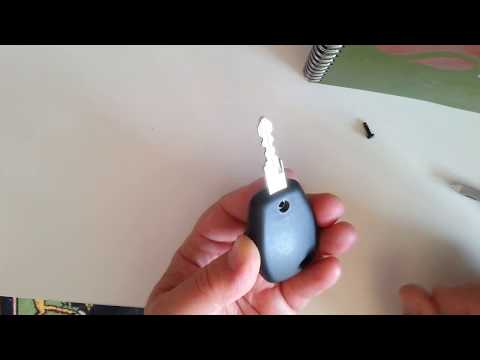
How do you replace the key battery on a Dacia Sandero? Let's see in this video how to perform the replacement correctly. Take your ignition key and unscrew the tiny screw on it. Use a screwdriver to pry between the two plastic parts until they separate; remove the dead battery with a screwdriver and take a new one of the same size and voltage. Reassemble the two parts of the key fob cover until you hear the click of the lock (tighten with the screw). Check the proper functioning of the key fob by testing the buttons for locking and unlocking the doors. by ScegliAuto More videos
|

|
For advertising on this site Write to info@scegliauto.com
ScegliAuto is not responsible for any inaccuracy of the data in the lists. To report any inaccuracy or your business (if you own the business in question), please write to info@scegliauto.com
Number of seconds to generate the page: 0.127
(c) ScegliAuto 2026 - info@scegliauto.com - Privacy policy VAT number: IT01247470535 |
