
|
Do it yourself
| |||
| ||||


|
If you want to independently replace the battery in your second-generation MG 3 smart key (model years 2011-2022), follow these steps. First, press the metal button located in the upper right corner of the cover and remove the side metal part. Once done, open the cover using the emergency physical key and replace the old, exhausted button battery with a new one (model CR2032). Finally, reassemble the key correctly, and the procedure is successfully completed.
Updated on 22 June 2026 by ScegliAuto
Video tutorial
Related tutorials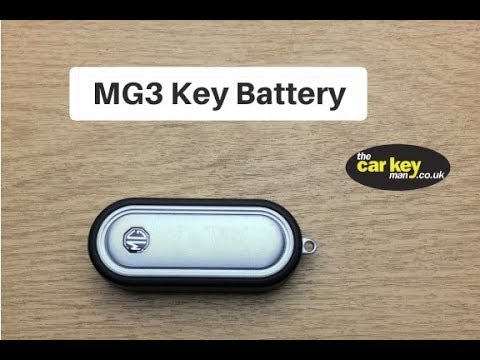
MG 3
(2011-2024 /
MK 2)
To properly replace the key battery of your MG 3 Mk2, it only takes a few seconds. Just follow the instructions in this mini guide. The first thing t…

MG 3
(2011-2024 /
MK 2)
To replace the battery of an MG vehicle key, we need to remove the side cover of the remote control and then insert a small screwdriver inside the sl…

MG 3
(2011-2024 /
MK 2)
In the following article, we will see how to replace the battery of the MG3 key remote. To perform this operation, you will need a small flathead scr…
Other guides you may be interested in
|
How to Open the Fuel Cap of the Volkswagen Jetta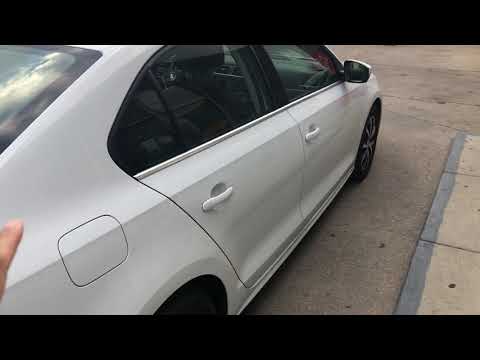
When you need to refuel this vehicle, first open the fuel filler flap. Follow these simple instructions, and you can also watch the video for more details. First, unlock the central locking to open the flaps. Then, press the fuel cap with your hand to unlock it and open it. Underneath, you will find the fuel cap, which you need to unscrew counterclockwise. At this point, you can proceed to refuel. by ScegliAuto More videos
|
|
For advertising on this site Write to info@scegliauto.com
ScegliAuto is not responsible for any inaccuracy of the data in the lists. To report any inaccuracy or your business (if you own the business in question), please write to info@scegliauto.com
Number of seconds to generate the page: 0.252
(c) ScegliAuto 2026 - info@scegliauto.com - Privacy policy VAT number: IT01247470535 |
