
|
Do it yourself
| |||
| ||||


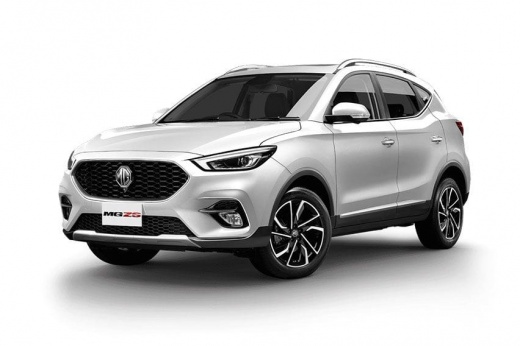
How to Install the Backup Camera on the MG ZS?
Model: MG ZS
Zs11
- Years:
2017, 2018, 2019, 2020, 2021, 2022, 2023, 2024
Video tutorial
To install the backup camera on the MG ZS, use a tool to pry off the internal cover of the trunk. Underneath, you can insert the backup camera, fitting it into its housing and connecting the appropriate cables. One cable needs to connect to the rear light for power, and another should connect to the stereo to display the image on the corresponding screen. At this point, reinstall the internal panel of the trunk, ensuring that the backup camera functions correctly.
Updated on 2 September 2026 by ScegliAuto
Related tutorials
MG ZS
(2017-2024 /
Zs11)
This guide provides the main instructions for installing the rear camera for parking maneuvers on the MG ZS. First, get in the vehicle and start inst…

MG ZS
(2017-2024 /
Zs11)
Installing a new armrest on the MG ZS without hiring a professional is possible. The only tool you need is a Phillips screwdriver or a power drill. F…

MG ZS
(2017-2024 /
Zs11)
On the MG ZS, you can install fenders on all four wheels without special tools and without needing to drill into the body, unlike other car models. T…
Other guides you may be interested in |
How to reset the tyre pressure warning light on the Kia Niro EV?
To reset the tyre pressure warning light on the Kia Niro EV, inflate the tyres until they reach the correct pressure value. This value is indicated on the sticker attached to the driver's door pillar. Once the tyres are inflated, turn on the instrument cluster to check that the warning light has completely disappeared from the display. If it is still present, you may need to drive for a few miles to ensure it disappears completely from the screen. by ScegliAuto More videos
|
|
For advertising on this site Write to info@scegliauto.com
ScegliAuto is not responsible for any inaccuracy of the data in the lists. To report any inaccuracy or your business (if you own the business in question), please write to info@scegliauto.com
Number of seconds to generate the page: 0.160
(c) ScegliAuto 2026 - info@scegliauto.com - Privacy policy VAT number: IT01247470535 |
