
|
Do it yourself
| |||
| ||||


How to reset the oil light on the Mini Cooper
Model: Mini Mini
F60, Countryman2
- Years 2017-2023
To manually reset the engine oil light of your Mini Cooper, you must follow these steps. First, go inside the car and sit in the driver's seat, then insert the key and start the instrument panel. Once the panel is on, locate the small button at the top left corner of the display and hold it down for a few seconds. Once the new screen appears on the display, release the button and press it several times until you see the oil light icon. Finally, hold down the same button again until the reset is complete.
Posted on 15 January 2025 by ScegliAuto
Video tutorial
Related tutorials
Mini
(2007-2014 /
R55, R57, R56)
If the oil light continues to appear on the instrument panel of your Mini Cooper (2013) even though you recently changed the oil and filter, you must…

Mini
(2014-2023 /
F55, F56, F57, F54)
Like all cars, the Mini Cooper also has its maintenance program, detailed in the user manual. The oil change and oil filter replacement are essential…

Mini
(2014-2023 /
F55, F56, F57, F54)
If you want to manually reset the engine oil light of your 2019 Mini Cooper, simply follow all the following steps step by step. First, turn on the i…
Other guides you may be interested in
|
How to Replace the Front Headlamp on a Fiat Bravo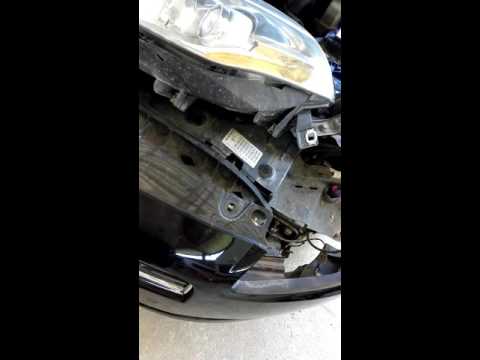
First, release the bonnet using the lever, then lift it. To remove the headlamp, you will need to dismantle a significant part of the front bumper. Start by removing the inner wheel arch liner to access the screw that secures the bumper to the wing. Next, remove the screws located on the top of the bumper. This will allow you to unscrew all the bolts securing the headlamp, including the one hidden by the bumper. Finally, disconnect the connector at the back of the headlamp and carry out the necessary replacements. by ScegliAuto More videos
|

|
For advertising on this site Write to info@scegliauto.com
ScegliAuto is not responsible for any inaccuracy of the data in the lists. To report any inaccuracy or your business (if you own the business in question), please write to info@scegliauto.com
Number of seconds to generate the page: 0.131
(c) ScegliAuto 2026 - info@scegliauto.com - Privacy policy VAT number: IT01247470535 |
