
|
Do it yourself
| |||
| ||||


How do you restore the infotainment system in Nissan vehicles?
Model: Nissan Murano
Z52, MK 3
- Years 2014-2024
It is specified that the infotainment reset, visible in the video, was carried out on a 2016 Nissan Murano. With this procedure, a true hard reset is performed, including bluetooth, navigation, etc., so it should be considered only if really necessary. Here's how to do it: Press the Menu button on the display in the center of the dashboard, then System Diagnostic Menu and finally Confirmation/Adjustment. By doing this, you authorize the aforementioned reset and start again from the factory settings of all the management software of the various applications of the car.
Posted on 14 July 2025 by ScegliAuto
Video tutorial
Related tutorials
Nissan Murano
(2008-2014 /
Z51, MK 2)
The fuse boxes of the Nissan Murano II series Z51 (2009/2015) are located as follows: the main one is in the engine compartment, on the passenger sid…
Nissan Murano
(2014-2024 /
Z52, MK 3)
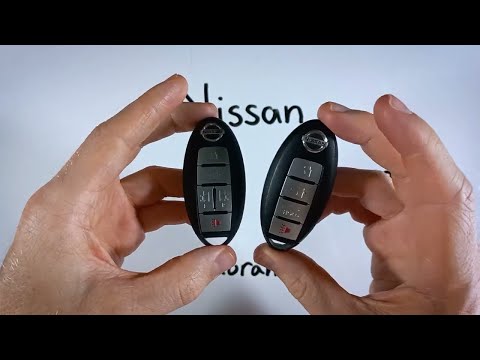
If you want to independently replace the battery of your Nissan Murano key, simply follow the steps outlined in this mini guide. First, locate the sm…
Nissan Murano
(2003-2008 /
MK 1, Z50)
It is good practice to regularly check the wear of the brake pads on your car. This guide shows you what to do when it is necessary to replace them.
…
Other guides you may be interested in
|
How to Open a Stuck Boot on the Peugeot 407?
On the Peugeot 407, the boot may become stuck, possibly due to a problem with the control button or the lock actuator. In such cases, you can perform an emergency opening by following the simple procedure shown in this tutorial. First, open the rear doors, then lower the seat back by operating the release lever. Next, go inside the boot, locate the lock, and manually operate it using a flathead screwdriver. The boot will then be free to open. by ScegliAuto More videos
|
|
For advertising on this site Write to info@scegliauto.com
ScegliAuto is not responsible for any inaccuracy of the data in the lists. To report any inaccuracy or your business (if you own the business in question), please write to info@scegliauto.com
Number of seconds to generate the page: 0.072
(c) ScegliAuto 2026 - info@scegliauto.com - Privacy policy VAT number: IT01247470535 |
