
|
Do it yourself
| |||
| ||||


How to enter the unlock code for the Nissan Note car radio
Model: Nissan Note
E11, MK 1
- Years 2004-2013
The following video tutorial shows us the steps to unlock the radio of the Nissan Note after replacing the battery. To unlock the radio, we need to know the unlock code. The radio unlock code can be found on the back of the radio itself, inside the user manual or by visiting the "Radio Code" website and entering the vehicle's identification code. After obtaining the code, we use the numeric buttons on the radio to enter the unlock code. Once the radio is unlocked, we can set our favorite frequencies again.
Posted on 14 October 2025 by ScegliAuto
Video tutorial
Related tutorials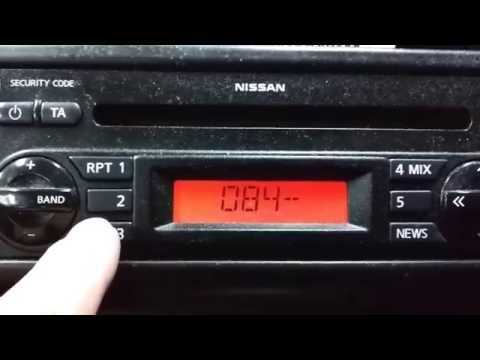
Nissan Note
(2004-2013 /
E11, MK 1)
The unlock code for the Nissan Note radio is usually written on a document provided by the dealer at the time of purchase. It can also be found on sp…
Nissan Note
(2012-2022 /
MK 2, E12)
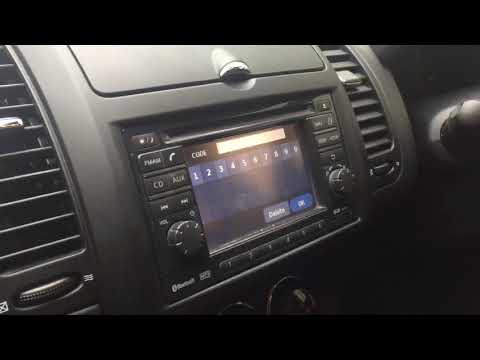
To unlock the radio in a Nissan Note, you need to remove the device to read the serial number on the sticker inside. Once you have the serial number,…
Nissan Note
(2004-2013 /
E11, MK 1)
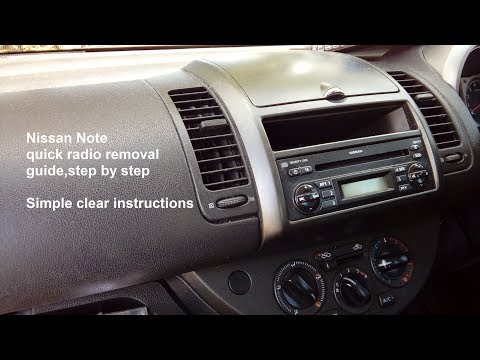
To remove the stereo from a Nissan Note, follow these steps. Detach the trim plastic below the stereo and unscrew the screws. Lift the flap at the to…
Other guides you may be interested in
|
How to Open a Stuck Boot on the Peugeot 407?
On the Peugeot 407, the boot may become stuck, possibly due to a problem with the control button or the lock actuator. In such cases, you can perform an emergency opening by following the simple procedure shown in this tutorial. First, open the rear doors, then lower the seat back by operating the release lever. Next, go inside the boot, locate the lock, and manually operate it using a flathead screwdriver. The boot will then be free to open. by ScegliAuto More videos
|
|
For advertising on this site Write to info@scegliauto.com
ScegliAuto is not responsible for any inaccuracy of the data in the lists. To report any inaccuracy or your business (if you own the business in question), please write to info@scegliauto.com
Number of seconds to generate the page: 0.093
(c) ScegliAuto 2026 - info@scegliauto.com - Privacy policy VAT number: IT01247470535 |
