
|
Do it yourself
| |||
| ||||


Replacing the Antenna on a Nissan Qashqai
Model: Nissan Qashqai
J11
- Years 2014-2022
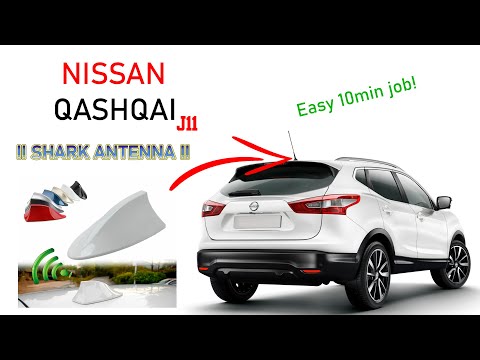
Replacing the standard antenna on this vehicle with a universal shark fin model is very simple and quick. Upon opening the box of the new antenna, you will notice that it is fixed with double-sided adhesive and connects to the radio system through the connector, which also supports the old antenna via a simple wire and a screw. Start by unscrewing and removing the original piece, which you should always keep for any eventuality. After connecting the wire as shown, remove the adhesive protection and apply the new antenna to the previously cleaned surface.
Updated on 19 March 2026 by ScegliAuto
Video tutorial
Related tutorials
Nissan Qashqai
(2014-2022 /
J11)
In this video, you will see how to disassemble and replace the original antenna with a fin-type antenna on a second-generation Nissan Qashqai, follow…
Nissan Qashqai
(2014-2022 /
J11)
Today, we will see how to remove and replace the antenna on the Nissan Qashqai, following the instructions below. First, open the bonnet of your car …
Nissan Qashqai
(2014-2022 /
J11)
Before installing the new shark fin antenna, remove the old one by unscrewing the mast while leaving the base in place. Clean the bodywork around the…
Other guides you may be interested in
|
Fuses Location and Diagram for the Volkswagen Crafter
In this guide, we will look at the location of the fuse boxes and how to find their diagram for the Volkswagen Crafter. First, get inside the vehicle and start by removing the plastic cover found under the steering wheel, to access the internal fuse box; you will find another fuse box in the engine compartment by removing the plastic cover located next to the battery. At this point, use the owner's manual to find the fuse diagram, which will allow you to identify and replace any blown fuses with new ones! by ScegliAuto More videos
|
|
For advertising on this site Write to info@scegliauto.com
ScegliAuto is not responsible for any inaccuracy of the data in the lists. To report any inaccuracy or your business (if you own the business in question), please write to info@scegliauto.com
Number of seconds to generate the page: 0.522
(c) ScegliAuto 2026 - info@scegliauto.com - Privacy policy VAT number: IT01247470535 |
