
|
Do it yourself
| |||
| ||||


How to Replace the Alternator on a Nissan Armada?
Model: Nissan Armada
Ta60
- Years 2004-2015
To replace the alternator on a Nissan Armada, lift the vehicle with a jack to loosen the bolts securing the right front wheel. Remove the wheel from its housing to access the screws holding the inner fender cover. Underneath, locate the screws that secure the alternator to its housing: once these are loosened, disconnect the connectors attached to the alternator to replace it with a new part.
Updated on 21 July 2026 by ScegliAuto
Video tutorial
Related tutorials
Nissan Armada
(2017-2024 /
Y62)
To replace the rear wiper on a Nissan Armada, detach the plastic cover at the base of the arm that controls the rear wiper's operation. Once this is …
Nissan Armada
(2004-2015 /
Ta60)
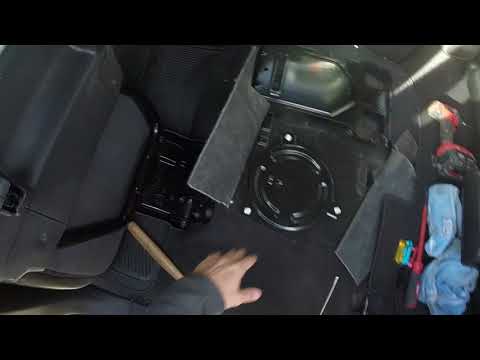
To replace the fuel pump on a Nissan Armada, remove the rear seats completely to access the carpet underneath. Once the carpet is removed, you can ac…

Nissan Armada
(2004-2015 /
Ta60)
If you are looking for the engine fuse box of your first-generation Nissan Armada, just read this guide and follow the brief procedure described to l…
Other guides you may be interested in
|
How to Open the Bonnet on the Lancia Y
To open the bonnet on this vehicle, follow these simple instructions: first, open the driver's door and locate the lever positioned just below the dashboard, marked with an image of the vehicle with the bonnet open. Pull this lever towards you until you hear a "click" indicating the bonnet is released. Next, exit the cabin and stand in front of the bonnet to disengage the safety catch and complete the opening. To do this, slightly lift the bonnet, locate the yellow lever underneath, and pull it to the left to fully release and open the bonnet. by ScegliAuto More videos
|
|
For advertising on this site Write to info@scegliauto.com
ScegliAuto is not responsible for any inaccuracy of the data in the lists. To report any inaccuracy or your business (if you own the business in question), please write to info@scegliauto.com
Number of seconds to generate the page: 0.094
(c) ScegliAuto 2026 - info@scegliauto.com - Privacy policy VAT number: IT01247470535 |
