
|
Do it yourself
| |||
| ||||


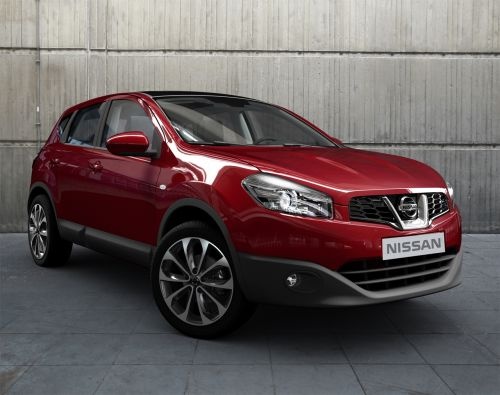
What to do when the remote control of the Nissan Qashqai J10 does not work
Model: Nissan Qashqai
J10
- Years:
2006, 2007, 2008, 2009, 2010, 2011, 2012, 2013, 2014
Video tutorial
In this video, see what often causes the remote control of the Nissan Qashqai J10 to malfunction: it is not the fuses or locks, but a small switch located under the ignition block that controls it. The presenter shows that it gets stuck as if the key is always inserted, thus failing to respond to the opening command. Clearly, the only solution is to replace this small switch. The video does not provide information on sourcing the component, but it is easily obtainable from any electronics parts supplier at a low cost.
Updated on 26 September 2026 by ScegliAuto
Related tutorials
Nissan Qashqai
(2006-2014 /
J10)
Today, we will explain how to independently replace the car remote battery on a Nissan Qashqai model J10 in just a few minutes. To perform the replac…

Nissan Qashqai
(2006-2014 /
J10)
In this guide, you will see the procedure needed to disassemble and replace the battery in the key fob for the Nissan Qashqai, in simple and quick st…

Nissan Qashqai
(2006-2014 /
J10)
This brief guide will show you how to disassemble and replace the battery in the key fob for the Nissan Qashqai. First, take your key fob and pry ope…
Other guides you may be interested in |
How to reset the tyre pressure warning light on the Kia Niro EV?
To reset the tyre pressure warning light on the Kia Niro EV, inflate the tyres until they reach the correct pressure value. This value is indicated on the sticker attached to the driver's door pillar. Once the tyres are inflated, turn on the instrument cluster to check that the warning light has completely disappeared from the display. If it is still present, you may need to drive for a few miles to ensure it disappears completely from the screen. by ScegliAuto More videos
|
|
For advertising on this site Write to info@scegliauto.com
ScegliAuto is not responsible for any inaccuracy of the data in the lists. To report any inaccuracy or your business (if you own the business in question), please write to info@scegliauto.com
Number of seconds to generate the page: 0.086
(c) ScegliAuto 2026 - info@scegliauto.com - Privacy policy VAT number: IT01247470535 |
