
|
Do it yourself
| |||
| ||||


How to replace the ignition coil of the Opel Astra
Model: Vauxhall Astra
Astra G
- Years:
1998, 1999, 2000, 2001, 2002, 2003, 2004, 2005, 2006
Video tutorial
The steps to replace the ignition coil of the Opel Astra model G are simple and quick to perform independently. The first step is to open the front hood and cover the body part with a microfiber cloth to prevent damage during the replacement. The second step is to remove the engine cover and disconnect the ignition coil connector using a flathead screwdriver. The third step is to unscrew the ignition coil bracket using a T30 key and a ratchet wrench. The fourth step is to lift the coil using a pry bar and remove it from the spark plug housing. The fifth step is to install a new coil on the spark plug housing and tighten the fastening elements with a T30 Torx key. The sixth step is to tighten the nut with a torque wrench to a torque of 15 Nm. The seventh step is to connect the coil to the connector and reassemble the engine cover.
Posted on 17 January 2025 by ScegliAuto
Related tutorials
Vauxhall Astra
(1998-2006 /
Astra G)
This video shows how to remove and replace the coil pack, which is the housing for our spark plugs. If your car has issues such as misfires in one of…
Vauxhall Astra
(1998-2006 /
Astra G)
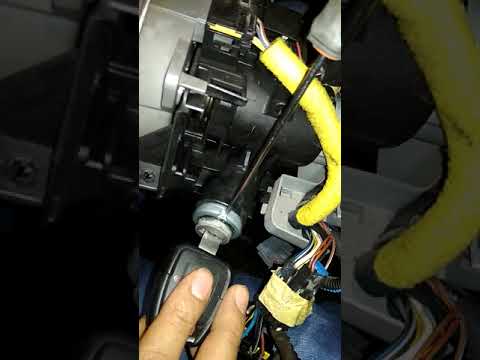
Remove the ignition cylinder from an Opel Astra, here’s how to proceed. Before removing the ignition switch, disconnect the battery power cables. Uns…

Vauxhall Astra
(2015-2022 /
Astra K)
In this guide we will see the main instructions useful for disassembling and replacing the spark plugs of the Opel Astra 1.0 Turbo. First, we open th…
Other guides you may be interested in
|
How to Set the Time in an Audi A4?
In this tutorial, you will see how to set the time in an Audi A4, a very simple and quick operation to perform after replacing the battery or when the time changes. First, insert the key and turn on the instrument cluster. Then, press the "SETUP" button located on the center console. Next, press the upper left arrow button, navigate to the "Time" option, and use the central knob to adjust the clock. Finally, set any necessary formats and save by returning to the main screen. by ScegliAuto More videos
|
|
For advertising on this site Write to info@scegliauto.com
ScegliAuto is not responsible for any inaccuracy of the data in the lists. To report any inaccuracy or your business (if you own the business in question), please write to info@scegliauto.com
Number of seconds to generate the page: 0.097
(c) ScegliAuto 2026 - info@scegliauto.com - Privacy policy VAT number: IT01247470535 |
