
|
Do it yourself
| |||
| ||||


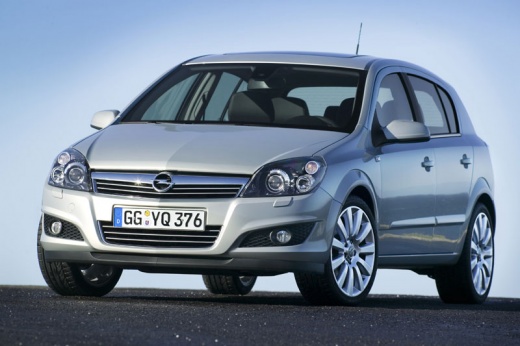
How to replace the radio of the 2007 Opel Astra
Model: Vauxhall Astra
Astra H
- Years:
2004, 2005, 2006, 2007, 2008, 2009, 2010
Video tutorial
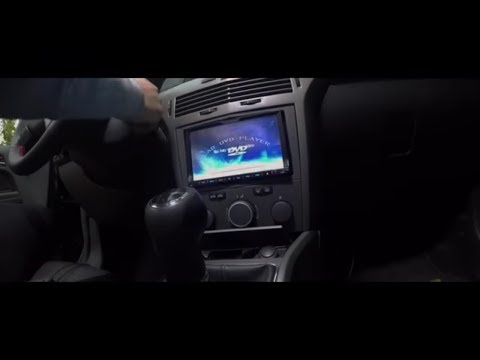
Today we will explain how to replace the car radio on a 2007 Opel Astra. First, we remove the previous radio by inserting the removal keys into the side holes, pulling the radio outwards, and disconnecting the connector and antenna cable. We connect the electrical cables on the new radio, matching the colors of the cables. We connect the connector to the radio and use a tool to strip the wires, adjust their length, and expose the copper so they can be connected. We open the glove compartment and after removing the inner part, we pass the radio wires through it so that the navigator and rearview camera can be mounted. We install the radio in its slot, assemble the back of the compartment, close it, and turn on the radio to check its operation.
Posted on 27 February 2025 by ScegliAuto
Related tutorials
Vauxhall Astra
(2004-2010 /
Astra H)
To replace the radio of the Opel Astra, model H, we need to purchase radio removal keys online or at auto parts stores. Insert the removal keys into …

Vauxhall Astra
(1998-2006 /
Astra G)
In this guide we will see the main instructions that will allow us to disassemble and eventually replace the original radio of the Opel Astra. First …
Vauxhall Astra
(2004-2010 /
Astra H)
How to remove the radio from your Opel Astra? Use appropriate removal keys to take out the radio. Insert the keys into the holes on the sides of the …
Other guides you may be interested in
|
How to reset the tyre pressure warning light on the Kia Niro EV?
To reset the tyre pressure warning light on the Kia Niro EV, inflate the tyres until they reach the correct pressure value. This value is indicated on the sticker attached to the driver's door pillar. Once the tyres are inflated, turn on the instrument cluster to check that the warning light has completely disappeared from the display. If it is still present, you may need to drive for a few miles to ensure it disappears completely from the screen. by ScegliAuto More videos
|
|
For advertising on this site Write to info@scegliauto.com
ScegliAuto is not responsible for any inaccuracy of the data in the lists. To report any inaccuracy or your business (if you own the business in question), please write to info@scegliauto.com
Number of seconds to generate the page: 0.084
(c) ScegliAuto 2026 - info@scegliauto.com - Privacy policy VAT number: IT01247470535 |
